
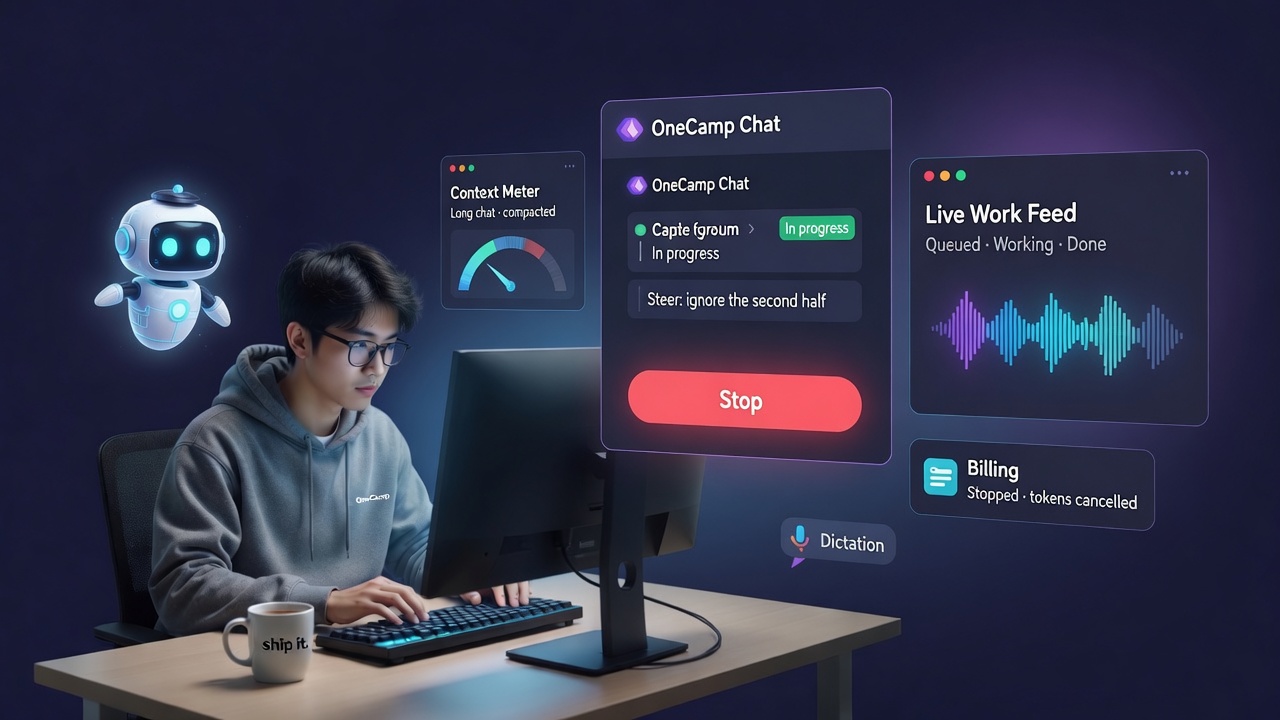
Every post in this series has pushed on the same idea: an AI that does the work, not one that answers questions about it. Agents got a place in your channels, then governance you could audit, then senses and skills, then the ability to open a pull request.
Somewhere in all that, a gap opened up that I kept noticing and kept not fixing.
You could start the work. You couldn’t take it back.
You @mention an agent, it goes off to do something that takes four minutes, and for those four minutes you are a spectator. You spot the misunderstanding in the first twenty seconds. Doesn’t matter. You wait, it finishes, it’s wrong, you start again.
That’s not what delegating to a colleague feels like. When you hand a teammate a job you can walk over and say “actually, ignore the second half” — and they hear you. This release makes agent work behave the same way.
Stop It, From Wherever You Are 🛑
An agent working on a task now has a Stop control in the place you are already looking — the thread, the task, the search answer. Not buried in an admin screen you’d have to go find while the thing you want stopped keeps running.
It works on a phone too. That sounds like a small detail and it isn’t: the moment you most want to stop an agent is often the moment you’re not at your desk.
When a run stops, the thread says who stopped it. An agent that goes quiet is unnerving; an agent that says “Akash stopped this” is just a colleague who got interrupted.
Stopping is cooperative, not a kill switch — the run notices the request at its next safe point and shuts down cleanly, so you don’t end up with half-finished side effects. That’s a deliberate trade: a fraction of a second slower to stop, and no mess left behind.
Change Your Mind Without Starting Over ✍️
Stopping is the blunt instrument. Most of the time what you actually want is to adjust.
You can now send an instruction to an agent that is already working and it will pick it up mid-run. “Only the API, skip the frontend.” “Use the staging database.” “Shorter, and drop the last section.”
The agent folds your correction into what it’s doing rather than throwing the work away. And the correction is recorded — an admin looking at a run later can see the human instruction that changed its course, which matters when you’re trying to understand why a run did what it did.
This is the single change I’ve gotten the most out of personally. Most of my “the agent got it wrong” moments were really “I described it badly and then had no way to say so.”
You Can See It Working 👀
Three things changed here, and together they make agent work feel live rather than submitted.
It tells you the moment work is queued, not when it starts. Previously there was a silent gap between asking and anything appearing — long enough to wonder whether the mention had registered at all.
Progress is pushed to you, not polled by you. The interface used to ask the server “anything new?” on a timer. Now the server tells it. When the connection drops it reconciles what it missed and falls back to polling, so you get live updates without the app quietly lying to you when the stream is down.
A long-running agent never goes silent. If work is still going, you know it’s still going.
Small thing that came out of this: when a run takes a moment, the agent posts a brief acknowledgement — and if the real answer arrives quickly, the acknowledgement is cancelled instead of leaving you with two comments where one would do.
Long Conversations Stop Hitting a Wall 🧱
Every model has a context limit, and a genuinely useful teammate hits it. Previously that was the end of the thread — the conversation simply stopped working, which is a strange and unexplained failure to run into mid-task.
Conversations now compact instead. Older turns are condensed so the thread keeps going, and an admin can see exactly where compaction happened rather than wondering why the agent seems to have forgotten something.
The honest framing: compaction is a trade, not a free win. The agent keeps the thread alive and loses some detail from early on. Showing where it happened is what makes that trade acceptable — you can tell the difference between “it forgot” and “it was summarised.”
Stopping an Answer Stops the Bill 💸
A smaller fix with a direct line to your invoice. AI search answers stream in as they’re generated. If you got what you needed from the first sentence and navigated away, generation used to carry on in the background — you’d stopped reading, but you hadn’t stopped paying.
Now abandoning an answer cancels the generation. For a self-hosted workspace on a metered model, that’s real money that used to leak on a behaviour nobody thinks of as wasteful.
Why This Matters More Than It Sounds 🎯
There’s a pattern to all of these. None of them make an agent smarter. Every one of them makes an agent safer to actually use.
Autonomy without interruption isn’t a feature, it’s a liability. If I can’t stop a thing, I’ll only give it jobs I don’t care much about — which means I’ll never give it the work worth delegating. The ability to interrupt is what makes it reasonable to hand over something that matters.
That’s also why the governance work and this work belong to the same story. Approvals, budgets and audit trails tell you what an agent may do. Stop, steer and live progress let you change your mind while it’s doing it. You need both before “AI teammate” is anything other than a demo.
How To Use It 🚀
Stop a run. Look for Stop on the agent work row in the thread, task, or channel where the agent is working. Desktop or mobile. The thread will record who stopped it.
Steer a run. Reply in the thread while the agent is still working — your message reaches it mid-run. Be specific; it’s folded into the current attempt rather than starting a new one.
Watch progress. No action needed. Queued work appears immediately and updates push themselves. If your connection drops, it reconciles when it returns.
See compaction (admin). In the run detail under Settings → Agents, compaction points are marked inline so you can see where the conversation was condensed.
OneCamp is an open-source, self-hosted, AI-era workspace: chat, docs, tasks, projects, calls, boards, tables, a programmable API, and AI teammates that can see, calculate, run code, query your databases, read your documents, and open pull requests — all on infrastructure you own, through the model you choose, and now interruptible by the humans they work for.