
If you’re new here: OneCamp is a self-hosted workspace (chat, docs, tasks, projects, calls, boards, tables, an API) that runs on your infrastructure. It comes in two editions, one with AI and agents and one with none at all. Everything in this post is about the first.
In the last post I let other people’s agents think for mine. This time I went and watched what happens when someone tries to bring their own AI tool to OneCamp, and the answer was embarrassing: it mostly did not work.
The front door only took a pasted key
OneCamp exposes its tools (read a channel, create a task, search docs) to AI clients over MCP, the protocol Claude, ChatGPT, Cursor and most others speak. To connect, you generated a token in OneCamp and pasted it into your client as a header.
Here is the problem. ChatGPT has no field for that header at all. It only connects to remote MCP servers by URL, and signs you in with OAuth, the same “Sign in with…” flow as any app. Claude’s option for pasting a header is a beta for a few organisations. Most clients assume the same: give me an address, I will send you to a login page.
So for most people, connecting an agent to OneCamp failed at the first step, with an error that did not say why.
Agents now connect by URL. You give your client one address, and it sends you to a OneCamp page to approve it:
- Which agent it acts as. A new one, named after the client, with exactly the tools the permissions you grant can reach, or an existing agent you sponsor.
- What it may do. Each permission the client asked for (read tasks, change tasks, and so on) is a box you can untick. It can never do more than you can.
- Where it goes back to, shown so you can see it is the client you meant.
It works with Claude, ChatGPT, Grok, Cursor, Claude Code, and any client that speaks MCP with OAuth, including a local model in Open WebUI on Ollama. OneCamp does not care which model is on the other end. Clients that can only send a header still get a token, bound to an agent the same way.
The part I care about most is what the client receives: not a key to you, but an ordinary credential bound to that agent, renewed every hour. So it shows up in the inventory below, the agent’s off switch stops it, and the audit log names it. Revoking it ends the connection at the next renewal.
To try it: the address, and a short guide per client with its own menu path, are on the MCP server card in Admin. Add the address in your client’s connectors or MCP settings, and approve it when it sends you to OneCamp.
An agent from somewhere else, as a teammate
Other organisations build agents too, and more of them speak A2A, a protocol for one agent to hand work to another. You can now bring one in as a OneCamp teammate from the agent editor: give it the agent’s address, and OneCamp reads its card to see what it is.
It joins under a sponsor, a person in your workspace it answers to, and it works within their permissions. It is given no tools: it takes the conversation and answers in text, so your instructions and your knowledge stay on your server. Like every agent, it only speaks where it has been added, and every run is recorded with where it did its thinking.
One list of everything that can act, and one switch
As the number of ways in grew, the question an admin actually asks got harder to answer: what can act in this workspace, and on whose behalf?
There is now an agent inventory in Admin. Every agent and every live credential, the person each answers to, what it may reach, and its last seven days: runs, changes, and refusals. An admin can revoke any credential from there, and that goes in the audit log.
Building it found a real hole. Pausing an agent stopped its credentials over MCP, but not over the public REST API, where the same key kept working. Both now ask one check on every request, and if the check cannot answer, the request is refused.
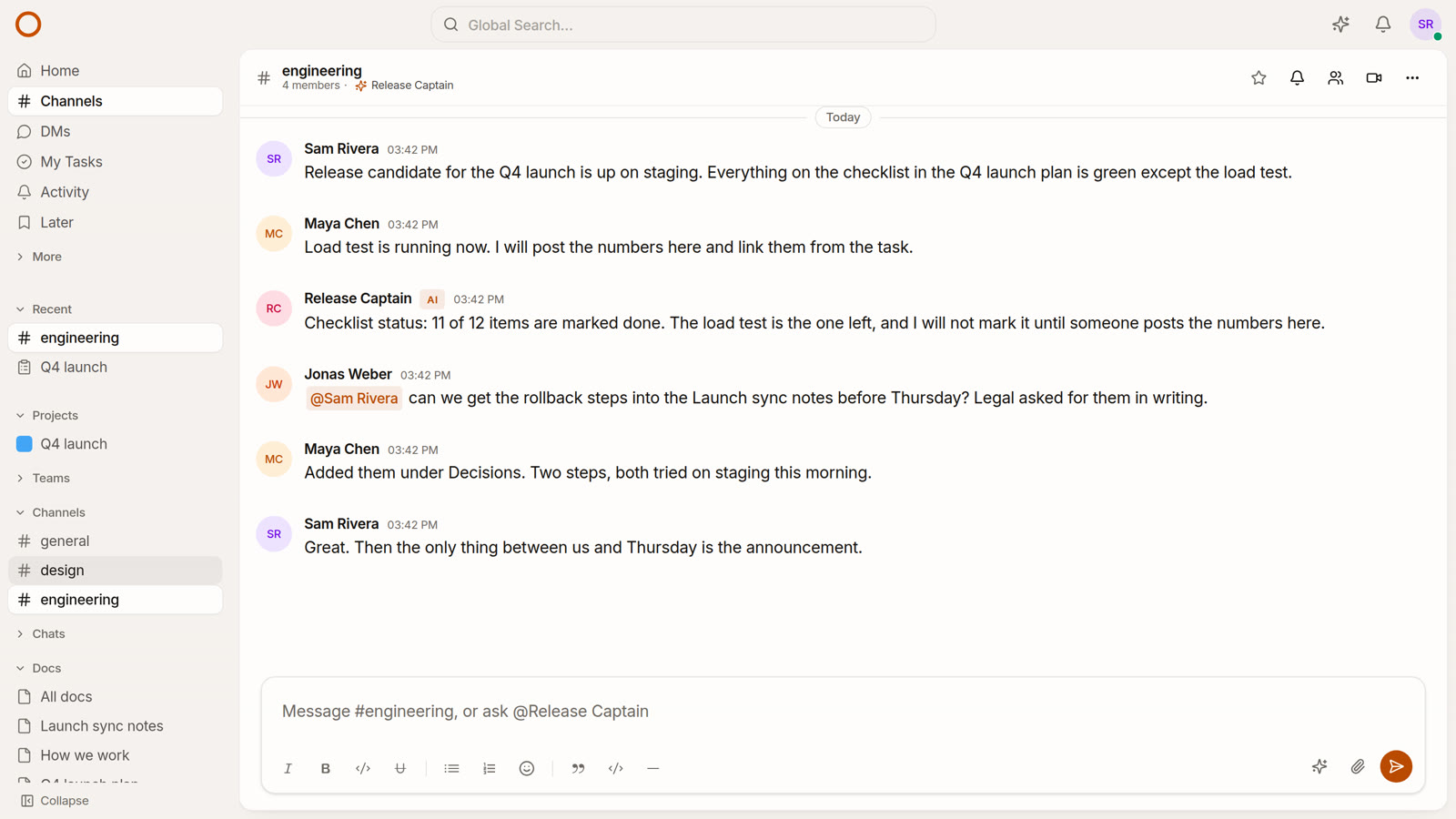
And the people next to an agent get a view too. Click an agent’s name in any channel and its card says who sponsors it, whether it acts or asks first, what it may do, and its last week. It carries nothing private: no instructions, no model, no transcript. A channel’s header now lists the agents in it, and the composer offers them, so “can I ask something here?” has an answer on screen.
Your AI teammate leaves you a note
The first time you open OneCamp each day, OneCamp AI leaves a short note in your DM with it: what needs you today (approvals waiting, overdue tasks, commitments, today’s calendar) and an offer to help with them. A toast tells you it is there and opens it.
It is once a day, however many tabs you open, and “a day” is your day, from your own device’s calendar, so it arrives in your morning wherever you are. Due times in it are said in your own time zone. There is no model call to make it, so it costs nothing to run. If you would rather not, Settings, Notifications has the switch.
Answers that survive closing the tab
This one was quietly costing people money. If you asked OneCamp AI something and then closed the tab, locked your phone, or lost the network for a second, the answer being written was thrown away. It had already been paid for. You came back, found nothing, and asked again.
An answer now belongs to the server, not to the tab that asked. Walk away mid-answer and it finishes and is saved; come back and it is there. Pressing Stop is different from leaving: it stops the answer and keeps what was written so far.
Smaller things that read better
- Agent replies are written for people, not as a log of the tools they called, and they never ask you for an internal ID; they look it up.
- Tables in AI answers render as tables, and markdown in channel replies renders instead of showing its asterisks.
- An AI answer never cites something you cannot open, and says who made a task it mentions.
- OneCamp AI is called OneCamp AI everywhere, and a DM with it no longer shows your own name at the top.
- You can download the record of what the AI did as you: every action taken on your behalf, with the same row hashes the admin’s evidence pack uses, as a file you can keep or show someone. It is your slice of the log, so it says plainly that it cannot be chain-checked on its own.
Try it
The demo has an agent called Release Captain in #engineering. Click its name to see its card, then ask it something from the composer. Your DM with OneCamp AI will already have today’s note in it.
If you run OneCamp yourself, update to the latest release of the AI edition and the guide is on the MCP server card in Admin. If you connect a client I have not listed and it does not work at the first step, tell me, because that is exactly the failure this post is about.