
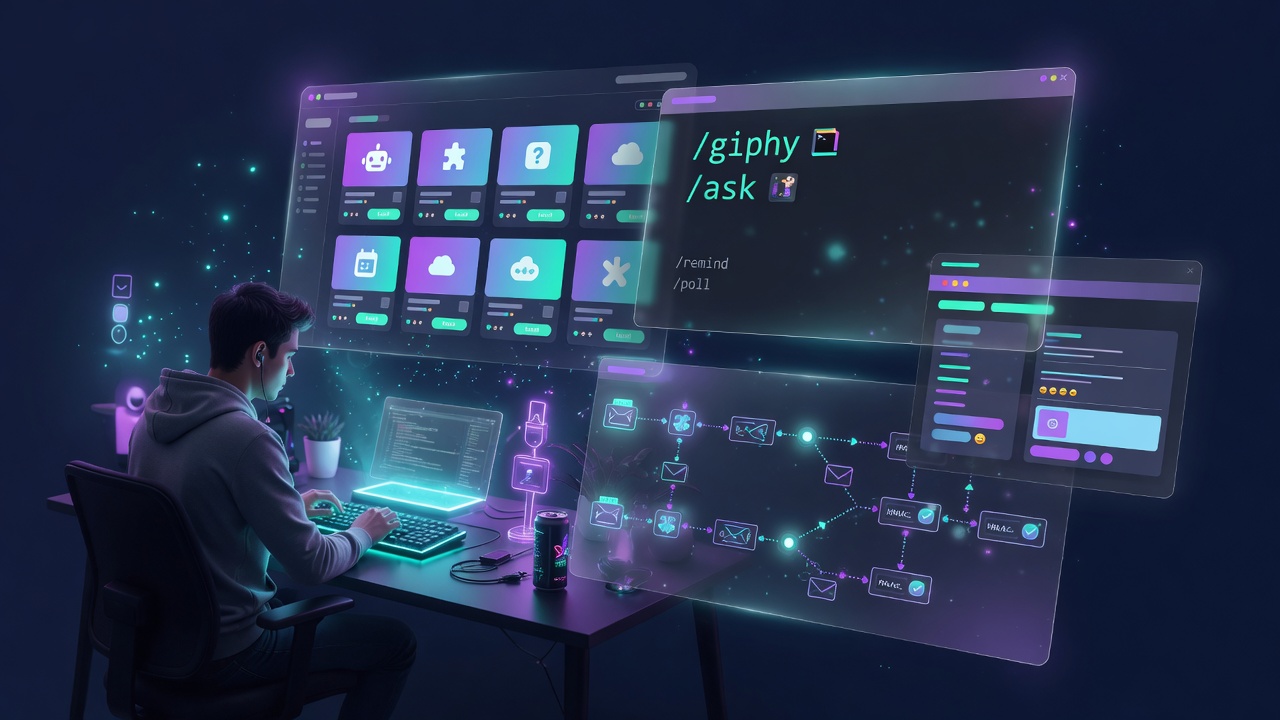
There’s a moment in every workspace product’s life where chat alone stops being enough.
You want to trigger a Jira issue from a conversation. You want a GIF button. You want to ask your AI a quick question without leaving the channel. You want CI/CD notifications to show up in the right channel automatically.
Slack has /commands. Notion has integrations. Every serious collaboration tool eventually builds some version of an app platform. And so, a few weeks ago, I built one for OneCamp.
This post is about exactly how I built it — the architecture, the tradeoffs, and one specific design decision that I think gets overlooked in most write-ups of systems like this: how to avoid the trap of requiring a backend deploy every time someone wants to add a new app.
The Problem I Was Actually Solving 🤔
When I first thought about slash commands, my instinct was simple: write a switch statement. /giphy → call Giphy API. /ask → call AI. /poll → create a poll. Easy.
This works fine until you want to add an app without changing backend code. Or until someone asks “can I connect my Jira?” or “can we add a custom bot?” If every app is a Go file in the repo, you’ve built a monolith masquerading as a platform. You’ve also built a SaaS vendor in disguise — you control which apps exist, not your users.
So I went back to first principles: what does Slack’s app model actually look like?
The answer is two separate worlds, and keeping them genuinely separate is the important part.
Two Worlds, One Dispatcher 📡
The entire platform lives in business/Command/dispatcher.go. Every slash command execution routes through a single Execute() function, which resolves the command, checks the user’s scope, enforces rate limits, and then does exactly one of two things:
Execute("/giphy cats")
    │
    ├─ Resolve command from DB (scope: org, team, or channel)
    ├─ Check rate limit (60/min per user)
    │
    ├─ ExecMode: ExecInteractive ──► commandRegistry["giphy"] ──► handleGiphy()
    │                                   (in-process, instant)
    │
    └─ ExecMode: ExecExternal ──► dispatchExternal()
                                    └─ ACK immediately ("Working on /jira…")
                                    └─ POST signed payload to app's handler_url (goroutine)
                                    └─ App replies with Block Kit JSON
                                    └─ Response delivered over MQTT to invoker
World 1: Built-in apps. A Go handler registered via Register("giphy", handleGiphy). Runs in the same process. Returns instantly. Used for first-party stuff that OneCamp ships — GIF picker, polls, reminders, the workspace AI assistant.
World 2: External apps. A database row with a handler_url and a signing_secret. No Go code whatsoever. Adding one is purely a data operation — an admin creates the row in the admin panel and that’s it.
The dispatcher doesn’t know or care which is which until it looks at ExecMode. That’s the actual line that separates them.
The External App Protocol 🔐
The external app dispatch is essentially a stripped-down version of how Slack’s slash commands work. When a user runs /jira create login is broken:
- OneCamp immediately returns “Working on
/jira…” — the composer unblocks, the user isn’t waiting - A goroutine fires a signed POST to the app’s
handler_url - The app verifies the signature, does its work, returns a
CommandResponseJSON - OneCamp receives the response and pushes it over MQTT to the invoker’s active session
The signing uses HMAC-SHA256 over v1:{timestamp}:{body} — the same scheme I already use for webhook dispatch, so there’s no new security primitive to reason about.
// Sent with every outbound request
X-OneCamp-Timestamp: 1717832400
X-OneCamp-Signature: v1=3ab9c2f1...
The request payload the app receives looks like this:
{
  "command": "/jira",
  "text": "create login is broken",
  "user_id": "…uuid…",
  "user_name": "akash",
  "trigger_id": "…",
  "channel_id": "…uuid…",
  "timezone": "Asia/Kolkata"
}
And the app replies with Block Kit:
{
  "response_type": "ephemeral",
  "blocks": [
    { "type": "section", "text": { "type": "mrkdwn", "text": "Created *PROJ-42*: login is broken" } },
    { "type": "actions", "elements": [
      { "type": "button", "text": { "type": "plain_text", "text": "View Issue" }, "url": "https://…" }
    ] }
  ]
}
All URLs are validated against an SSRF guard before any outbound request is made. Private IP ranges, localhost, cloud metadata endpoints — all blocked. The HTTP client pins the resolved IP at dial time so DNS rebinding attacks don’t work.
The Marketplace: One-Click Install 🛍️
I wanted adding popular apps to feel like the App Store, not like pasting a YAML file. So I built a curated marketplace (marketplace.go) — a static slice of appTemplate structs that define everything about a popular integration upfront: icon, description, commands, OAuth config, required setup fields.
{
    Slug:     "zoom",
    Name:     "Zoom",
    Kind:     AppKindOAuth,
    Commands: []AppCommandInput{
        {Command: "zoom", ExecMode: ExecExternal, ...},
    },
    Setup: []SetupField{
        {Key: "oauth_cred", Type: setupOAuthCred, Required: true},
    },
    SetupNote: "Create an OAuth app in the Zoom Marketplace and paste its client ID and secret.",
}
One-click install takes a template, builds a CreateAppRequest from it, and runs the same CreateApp() path a manual admin would use. The app is installed immediately and flagged “Finish setup” if it still needs a credential. That keeps the install fast without pretending the app is ready before it is.
One-click uninstall (UninstallTemplate) deletes the app, its commands, and its encrypted secret bag from the integrations table. Clean, reversible, no orphans.
The marketplace currently covers 20+ apps across five categories:
| Category | Apps |
|---|---|
| Productivity | Zoom, Jira, Linear, Asana, Notion, ClickUp, Google Drive |
| Project Management | Trello, Todoist |
| Developer Tools | GitLab, Sentry, Datadog, Opsgenie |
| Sales & Support | HubSpot, Zendesk, Stripe, Calendly |
| AI | OneCamp AI, OpenAI |
First-Party Built-Ins: Giphy and Why It Lives In-Process 🎥
Giphy is where this gets interesting. It’s registered as a marketplace app, it has its own API key in an encrypted secret bag, and it shows up in the admin “Installed apps” list — but it runs entirely in-process. No external server. No webhook. No deploy needed to change how it behaves.
Why?
For a GIF picker, the UX contract is: press Shuffle → see a new GIF instantly. An external round-trip (compose payload → POST to app server → wait → reply over MQTT) adds hundreds of milliseconds per shuffle. That’s audible. For 15 shuffles it’s painful.
The in-process handler avoids all of that. Shuffle is an atomic Redis operation plus a render call. Sub-millisecond.
// The shuffle advance is atomic — two people can't race on the same picker
_ = redisStore.UpdateJSONAtomic(
    ctx, registry.CommandInteraction, []string{ir.TriggerID}, registry.CommandInteraction.TTL,
    func(cur giphyState, found bool) giphyState {
        if found && len(cur.URLs) > 0 {
            cur.Index = (cur.Index + 1) % len(cur.URLs)
        }
        return cur
    },
)
The state is keyed by triggerID with a 15-minute Redis TTL. On /giphy cats, 15 GIFs are fetched at once and pre-loaded in the browser cache — so every subsequent shuffle is already in memory on both the client and the server.
The kind distinction between built-in and external is explicit in the model:
AppKindBuiltin  — in-process, no handler_url required
AppKindExternal — webhook app, needs handler_url + signing_secret
AppKindOAuth    — webhook app + per-workspace OAuth token
This matters for the admin UI too. When you open the editor for Giphy, it doesn’t show you a Handler URL field or a Signing Secret field — because those are irrelevant for a built-in. What it does show is the API key input (stored encrypted at rest) and a read-only command list. The UI adapts to the kind.
OneCamp AI as a First-Party App 🤖
Once I had the built-in app framework working, it was obvious what to do with /ask. Instead of pointing it at the OpenAI API as an external app (which requires an OpenAI account and a separate key), I wired it directly to the in-process AI service — the same one that runs workspace chat, briefings, and memory.
func handleAsk(ctx context.Context, cc CommandContext) (*commandAdapter.CommandResponse, error) {
    svc := ai.GetService()
    if svc == nil || !svc.IsEnabled() {
        return errorResponse("OneCamp AI isn't enabled yet. Turn it on under Admin → AI Models."), nil
    }
    // 30-second bounded context
    answer, err := svc.LLM.Chat(cctx, messages, ai.ChatOptions{Temperature: 0.4, MaxTokens: 1024})
    // returns Block Kit card with question + answer
}
This means /ask works the moment a workspace enables AI — whether that’s a local Ollama model on their own hardware or Anthropic. No extra key. No extra account. No data leaving their infrastructure unless they chose a cloud provider. That’s the OneCamp philosophy applied consistently: you control the stack.
Encrypted Secrets: What the Admin Actually Sees 🔒
Every app’s credentials — API keys, OAuth client secrets, signing secrets — are encrypted at rest using AES-256-GCM before they touch the database. The encryption key is derived from an environment variable that never leaves the server.
What the admin UI sees instead of the raw value is a has_api_key: true boolean and a list of secret_keys: ["api_key"]. The actual value is never returned in any API response, ever.
Admin pastes Giphy API key
→ AES-256-GCM encrypt
→ Store in integrations table (entity_type=app, entity_id=app_uuid, provider=app_config)
→ API returns: { has_api_key: true, secret_keys: ["api_key"] }
→ Admin UI shows: "✓ Key set" badge
The “Test” button in the admin editor hits TestApp(), which runs a real live probe per app type: Giphy does an actual search API call with the stored key, external apps get a signed ssl_check probe to their handler URL, OneCamp AI checks whether the AI service is loaded and which model is active. The test result tells the admin exactly what’s wrong if something isn’t working.
The Registry Pattern: Generic by Design 🧩
One thing I deliberately avoided was the “one big switch statement” pattern. Every handler self-registers from its own init():
// giphy.go
func init() {
    Register("giphy", handleGiphy)
    RegisterInteraction("giphy", handleGiphyInteract)
    RegisterAppTest(giphyAppSlug, testGiphy)     // test probe
}

// ai.go
func init() {
    Register("ask", handleAsk)
    RegisterAppTest(oneCampAIAppSlug, testOneCampAI)
}
dispatcher.go and testApp.go have zero knowledge of specific apps. Adding a new built-in means adding one file. Removing it means deleting the file. No other file needs to change.
There’s even a regression test for this: TestBuiltinTemplatesHaveHandlers verifies at test time that every built-in marketplace template has a registered in-process handler, and TestNoCommandCollisionBetweenBuiltinsAndTemplates verifies that no external app template claims a command name that’s already seeded as a built-in. If you introduce the bug, CI catches it before it ships.
The Rule I Wish I Had Written Down Earlier 📝
About halfway through building this, I introduced a bug that took an hour to understand. Giphy was showing “No commands yet” in the admin editor even after install. The app was installed. The command was seeded as a built-in. So why no commands?
The answer: built-in commands live in the slash_commands table as org-scoped built-in rows (seeded by SeedBuiltinCommands at startup). When I installed Giphy, syncAppCommands tried to create a second app-linked row for the same command name. The unique index on (command, scope_type, scope_entity_id) rejected the insert silently. ListCommandsByApp returned empty. The editor said “No commands yet.”
The fix was two rules, now encoded in the code and the test:
- Built-in apps don’t get app-linked command rows — skip
syncAppCommandsforkind=builtin buildAppViewFromsurfaces a built-in app’s commands from its template when no app-linked rows exist
And there’s a ReconcileInstalledApps() function that runs at startup to self-heal any existing installations where the kind was wrong — so you don’t need to reinstall anything.
What It Looks Like for Admins 🖥️
The admin Apps tab has two sections: the App Directory (the curated marketplace) and Installed Apps (what’s currently running).
The directory supports search and category filters. Each card shows what the app does, which commands it provides, and a single Install button. After install, the card flips to either “✓ Installed” (if it’s ready to use) or “⚠ Finish setup” (if it still needs a credential).
The editor for an installed app adapts to its kind:
- External app: shows Handler URL, Signing Secret, API Key, editable command list
- OAuth app: shows OAuth config, Connect button, Authorize URL/Token URL
- Built-in app: shows API Key (if needed), read-only command list, a note that it runs in-process
The Test button always shows a live result specific to the app’s type. Not a generic “request sent” — an actual “Giphy returned 15 results. Your key works.” or “OneCamp AI is ready — using anthropic / claude-3-5-sonnet.”
The Bigger Picture 🔮
The thing I keep coming back to is that this is genuinely the right model for a self-hosted workspace. The external app protocol is Slack-compatible enough that anyone who’s built a Slack app can point it at OneCamp with minimal changes. The built-in path gives first-party apps the performance and privacy guarantees that an external webhook simply can’t offer.
And the whole thing — from installing Zoom to configuring a custom internal bot to using /ask against a local Llama model — runs on infrastructure you own. No per-seat pricing for app integrations. No “this integration requires the Enterprise plan.” No calling home.
You can check out the app platform in the Admin panel under Apps & Integrations. If you want to connect an external app, the request format and signing scheme are documented in the repo.
OneCamp is available as a self-hosted lifetime purchase at onemana.dev — one payment, unlimited users, your server.
Previous posts: AI-Agnostic Workspace with Active Memory Layering · Universal Import Engine · OneCamp: GitHub, Webhooks, Archiving · Building the Anti-SaaS Workspace
Follow on Twitter for more updates.