
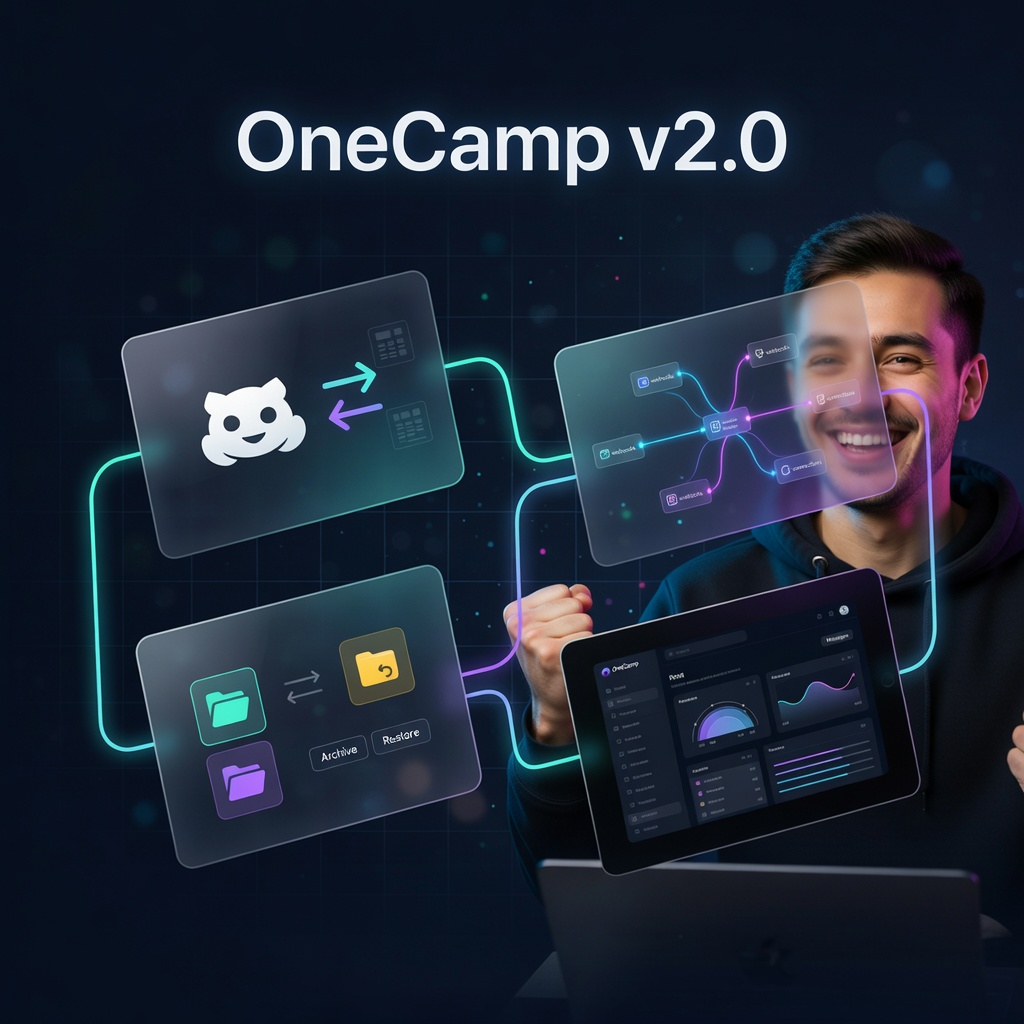
Two months after launching OneCamp, I just shipped the largest update since day one.
172 backend files changed. 462 frontend files changed. 16,845 new lines of Go. 21,565 new lines of TypeScript. One combined commit message that reads like a feature roadmap.
This post breaks down the four major pillars of this release — the actual architecture decisions, the engineering tradeoffs, and what I learned building each one. If you’ve read my previous architecture post, think of this as the sequel.
What Shipped 🚀
- Bidirectional GitHub Integration — full two-way sync between OneCamp tasks and GitHub issues, with PR tracking, branch creation, CI status, and code review visibility
- Custom Webhook Infrastructure — incoming and outgoing webhooks with Block Kit rendering, slash commands, SSRF protection, and auto-disable on failure
- Admin Data Archiving & Unarchiving — policy-driven archiving across six entity types with multi-store cascade, real-time progress, and one-click undo
- Complete Frontend Redesign — ground-up visual refresh with new component library, accessibility improvements, and theme system
Let me walk through each one.
1. Bidirectional GitHub Integration 🔗
This was the most complex feature in the release. Not because calling the GitHub API is hard — it isn’t. The complexity lives in bidirectional sync without infinite loops, user identity mapping across systems, and handling GitHub’s seven different webhook event types with their various action subtypes.
The Connection Flow
Everything starts with OAuth. An admin clicks “Connect GitHub” in the admin panel, which triggers a standard OAuth 2.0 flow:
Admin → GET /admin/github/auth-url → Redirect to GitHub OAuth
→ User authorizes → GET /admin/github/callback?code=xxx
→ Exchange code for access_token → UpsertIntegration (org scope)
Once connected, the admin links specific GitHub repositories to OneCamp projects. This is where it gets interesting — linking a repo doesn’t just store a database record. It also registers a webhook on the GitHub repository with a per-link cryptographic secret:
// Each linked repo gets its own webhook secret
// This means compromising one repo's secret doesn't affect others
webhookSecret := generateSecureToken(32)
INSERT INTO github_links (project_id, repo_id, webhook_secret, ...)

// Register webhook on GitHub with 7 event types
registerWebhook(repo, events: [
    "issues", "pull_request", "push",
    "issue_comment", "create",
    "pull_request_review", "check_run"
])
Inbound Sync: GitHub → OneCamp
When something happens on GitHub — a new issue, a merged PR, a pushed commit — GitHub sends a webhook POST to OneCamp. Here’s the verification and processing pipeline:
HMAC-SHA256 verification — every webhook payload is signed with the per-link secret. The backend verifies the signature before processing anything. If the per-link secret doesn’t match, it falls back to a global secret. If neither matches, the request is rejected.
Deduplication — GitHub occasionally sends duplicate webhook deliveries. OneCamp handles this with a github_webhook_deliveries table using INSERT ON CONFLICT DO NOTHING. Same delivery ID = silently ignored.
Loop prevention — this is the critical piece. When OneCamp syncs a change to GitHub, it records a lastSyncedAt timestamp. When a webhook comes from GitHub, if the webhook timestamp is ≤ lastSyncedAt, the event is skipped. This prevents the infinite loop of: OneCamp updates issue → GitHub sends webhook → OneCamp processes webhook → OneCamp updates issue → …
Inbound webhook → Verify HMAC → Dedup check → Loop prevention
→ async goroutine → Event-specific handler
Each event type has its own handler:
| Event | What it does |
|---|---|
issues: opened |
Auto-creates a task via automation rules |
issues: closed/reopened |
Updates task status (done/todo) |
issues: edited |
Syncs title and description changes |
issues: assigned |
Maps GitHub user → OneCamp user, assigns task |
pull_request: opened/merged/closed |
Tracks PR lifecycle on the task |
push |
Parses commit messages for magic words (close, fix) |
pull_request_review |
Records approved/changes_requested |
check_run |
Shows CI status (pass/fail) on the task |
The User Mapping Problem
This deserves its own section because it’s surprisingly tricky. When a GitHub user assigns themselves to an issue, OneCamp needs to figure out which OneCamp user that GitHub user corresponds to. The mapping uses a 4-level fallback:
- Cache hit — check if we’ve already resolved this GitHub user recently
- Integrations table — check if any OneCamp user has connected their GitHub account via OAuth
- Users table — check if any OneCamp user’s email matches the GitHub user’s email
- GitHub email lookup — fetch the GitHub user’s email via API and match against OneCamp users
- Auto-provision — if no match at all, create an “external user” record so the activity is still tracked
This means even if a GitHub contributor has never logged into OneCamp, their activity still shows up in the right places — with proper attribution.
Outbound Sync: OneCamp → GitHub
When someone updates a task in OneCamp that’s linked to a GitHub issue, the change needs to sync back. This uses an async queue instead of synchronous API calls:
Task updated → EnqueueGitHubSync (atomic insert, dedup pending)
→ SyncSignal channel wake → StartGitHubSyncWorker
→ GitHub API call → Result handling
The sync worker is a background goroutine that wakes up in two ways:
- Event-driven — a channel signal fires immediately when something is enqueued
- Fallback polling — every 60 seconds, it checks for any items that were missed
It also runs a reaper that resets stuck sync items (anything that’s been “processing” for more than 10 minutes). This handles the case where the worker crashes mid-sync.
Sync types map directly to GitHub API calls:
status change  → PATCH /repos/:owner/:repo/issues/:number {"state": "open/closed"}
name change    → PATCH /repos/:owner/:repo/issues/:number {"title": "..."}
assignee       → PATCH /repos/:owner/:repo/issues/:number {"assignees": [...]}
comment create → POST  /repos/:owner/:repo/issues/:number/comments
label sync     → DELETE old labels + POST new labels
Retry with exponential backoff — if a GitHub API call fails, it retries up to 5 times with exponential backoff. After all retries are exhausted, the item is marked as failed and the sync status is updated. If GitHub returns a 404 (issue deleted), the GitHub fields are cleared from the task.
Frontend: Task-Level GitHub Integration
On the frontend, GitHub integration surfaces in several places:
- GitHubIntegrationCard in admin — connect/disconnect, link/unlink repos
- taskGitHubSection on each task — link to an existing GitHub issue, create a new branch, view linked PRs
- GitHubActivityTab — chronological view of commits, PRs, reviews, and CI runs related to a task
- PRStatusBadge — real-time status indicator showing open/merged/draft state
All of these receive real-time updates via MQTT on the github_sync/projectId/taskId topic.
The Database Schema
The GitHub integration added 8 new PostgreSQL tables and 32 new migrations:
integrations          — OAuth tokens, org-level connection
github_links          — repo ↔ project mappings with per-link secrets
github_sync_queue     — async outbound sync queue
github_webhook_deliveries — inbound dedup tracking
github_comment_mappings   — OneCamp comment ↔ GitHub comment ID mapping
github_task_activity      — chronological activity feed per task
github_pr_reviews         — PR review tracking
github_reaction_refs      — emoji reaction sync references
2. Custom Webhook Infrastructure ⚡
The webhook system was designed with one principle: an incoming webhook should be able to do anything a user can do in a channel, and an outgoing webhook should tell external systems about anything that happens in the workspace.
Incoming Webhooks
An incoming webhook is a URL that external systems can POST to in order to send messages into OneCamp channels, DMs, or group chats. Think: CI/CD notifications, monitoring alerts, bot integrations.
POST /webhook/incoming/{token}

// No auth header needed — the token IS the authentication
// This mirrors Slack's incoming webhook design
Rate limiting — 30 requests per minute per token, implemented with a Redis sliding window (ZADD/ZCARD). If Redis is down, it falls back to in-memory rate limiting. The system fails open (allows requests) rather than failing closed (blocking everything) when rate limiting infrastructure is unavailable.
Signature verification supports three schemes in priority order:
- Slack v0 —
X-Slack-Signature+ timestamp. This means you can point an existing Slack incoming webhook at OneCamp and it just works. - OneCamp v1 —
X-OneCamp-Signaturewithv1=HMAC-SHA256. Includes 5-minute replay protection. - Legacy SHA256 — deprecated but still supported, with logging to track remaining usage.
Block Kit rendering — incoming webhooks can send rich messages using a block format:
{
  "blocks": [
    { "type": "header", "text": "Deploy Complete ✅" },
    { "type": "section", "text": { "type": "mrkdwn", "text": "Branch `main` deployed to *production*" } },
    { "type": "divider" },
    { "type": "actions", "elements": [
      { "type": "button", "text": "View Deploy", "url": "https://...", "style": "primary" }
    ] }
  ]
}
Supported block types: section (plain_text + mrkdwn), divider, header, context, image with figcaption, and actions with styled buttons. The mrkdwn parser handles bold, italic, code, strikethrough, and links.
Slash commands — incoming webhooks can define slash commands. Built-in commands include /help and /status. External commands forward to a configurable handler_url with SSRF protection on the handler URL.
Payload-driven routing determines where the message lands:
Priority 1: channel_id → ProcessIncomingMessage (full pipeline: PG + Dgraph + MQTT + OpenSearch)
Priority 2: dm_id → ProcessIncomingDM (permission: creator active, not self-DM)
Priority 3: group_chat_id → ProcessIncomingGroupChat (permission: creator is group member)
Priority 4: fallback → webhook's default channel
No destination: 400 error
Outgoing Webhooks
Outgoing webhooks fire when events happen inside OneCamp — a post is created, a task status changes, a user joins a channel.
Scope resolution determines which webhooks fire for a given event:
if event.data has channel_id → channel scope (only webhooks scoped to that channel)
if event.data has project_id → project scope (only webhooks scoped to that project)
else → org scope (all org-level webhooks)
Trigger word filtering — outgoing webhooks can specify regex trigger words. Only messages matching the trigger fire the webhook. Regexes are compiled once and cached per webhook, with word boundary matching.
Dispatch architecture:
Event → Scope resolution → Match active webhooks by event type
→ Trigger word filter → Semaphore pool (max 100 concurrent)
→ Per-webhook goroutine → SSRF guard → POST to target_url
→ HMAC signing → SSRF-safe HTTP transport (pinned IPs, 10s timeout)
SSRF protection is multi-layered:
ValidateOutboundURLblocks private IP ranges, localhost, and link-local addresses- The HTTP transport pins resolved IPs at dial time — this prevents DNS rebinding attacks where a domain resolves to a public IP during validation but a private IP during the actual request
- Hard 10-second timeout prevents slow-loris style resource exhaustion
Retry and failure handling:
- Max 3 retries with exponential backoff (1s, 2s, 4s)
- Success → reset failure count
- All retries exhausted → increment failure counter
- Failure count ≥ 10 → auto-disable the webhook — this prevents a misconfigured webhook from endlessly hammering a dead endpoint
Supported event types cover the full workspace:
post.created    post.updated    post.deleted
chat.created    chat.updated    chat.deleted
task.created    task.deleted    task.status_changed    task.restored
channel.created channel.archived
user.joined     user.left
Cleanup scheduler — a background job runs periodically to delete webhook logs older than 30 days. Keeps the webhook_logs table from growing unbounded.
Admin UI
The webhook admin panel provides:
- Create dialog — name, type (incoming/outgoing), target URL, default channel, event subscriptions, bot display name
- Edit dialog — modify config, regenerate token/secret, test webhook (outgoing only), view execution logs
- Logs viewer — global and per-webhook, paginated, with delivery status and response codes
3. Admin Data Archiving & Unarchiving 🗄️
As workspaces age, they accumulate data — old messages, completed tasks, abandoned docs. The archiving system gives admins control over data retention without permanently deleting anything.
Policy-Based Configuration
Each entity type has its own archiving policy:
Entity Type     | Configurable Fields
----------------|--------------------------------------------
posts           | retention_days (7-3650), auto_archive
chats           | retention_days, auto_archive
tasks           | retention_days, auto_archive, archive_completed_tasks
attachments     | retention_days, auto_archive, compress_attachments
recordings      | retention_days, auto_archive
docs            | retention_days, auto_archive
The archive_completed_tasks flag is unique to tasks — it means “only archive tasks that are marked done, even if they’re within the retention window.” This handles the common case where a team wants to keep active tasks forever but clean up completed ones.
Concurrency Protection
Only one archive job can run per entity type at a time. This is enforced at the database level:
SELECT EXISTS(
    FROM archive_jobs
    WHERE entity_type = $1 AND status = 'running'
)
-- If true: return 409 Conflict (ArchiveAlreadyRunningError)
-- If false: proceed
This avoids the classic race condition where two admins click “Run Archive” at the same time and create conflicting operations.
Rate Limiting
Archive operations are expensive — they touch three data stores. Per-user rate limits prevent abuse:
run:     5 per minute
restore: 10 per minute
undo:    5 per minute
Implemented with Redis INCR/EXPIRE. If Redis is unavailable, it fails open — better to allow an archive job than to block an admin during a Redis blip.
Multi-Store Archive Cascade
This is the most architecturally interesting part. OneCamp stores data across PostgreSQL, Dgraph, and OpenSearch. Archiving a post means marking it as deleted in all three stores. The cascade follows a specific order with different failure semantics:
1. PostgreSQL: UPDATE SET deleted_at = NOW()  ← authoritative, must succeed
2. Dgraph: BulkArchive (set deleted_at on graph nodes) ← synchronous, non-fatal if fails
3. OpenSearch: Async cascading deletion ← fire-and-forget with panic recovery
PostgreSQL is the source of truth. If the Dgraph update fails, the archive still succeeds — the data is marked as deleted in Postgres, and a future consistency check can clean up Dgraph. If OpenSearch fails, same story — search results might include archived items temporarily, but they won’t be loadable since the API checks Postgres.
OpenSearch cascading is particularly complex because of related records. Archiving a post means also removing it from:
post_id          → the post itself
comment_post_id  → comments on that post
attachment_post_id → attachments on that post
Each entity type has its own cascade field mapping, and all OpenSearch deletions run in a separate goroutine with panic recovery — a failure in the search index should never crash the archive job.
Real-Time Progress via MQTT
Archive jobs can process thousands of items. Admins need visibility into progress. The job publishes status updates via MQTT on the archive_job_status topic:
{
  "job_id": "uuid",
  "entity_type": "posts",
  "status": "running",
  "items_processed": 1500,
  "items_archived": 1487,
  "items_failed": 13
}
The admin panel subscribes to this topic and shows a real-time progress indicator with animated counts.
Undo: The Safety Net
Every archive job stores the exact list of archived IDs in its metadata. This enables precise undo:
POST /admin/archive/undo/{jobId}
→ Validate: job status = completed, entity supports undo
→ Parse job metadata: archived_ids
→ UPDATE SET deleted_at = NULL WHERE id IN (archived_ids)
→ Dgraph BulkRestore
→ OpenSearch unarchive
→ UPDATE archive_job status = 'undone'
The undo doesn’t just “unarchive everything” — it unarchives the exact items from that specific job. If another archive job ran after the first one, undo only affects the first job’s items.
Supported for: posts, chats, tasks, attachments. Not supported for: recordings and docs (these are simpler PG-only archives without graph/search components).
Restore: Cherry-Pick Recovery
Beyond undo (which reverses an entire job), admins can also restore specific items:
POST /admin/archive/restore
{
  "entity_type": "tasks",
  "entity_ids": ["uuid1", "uuid2", ...]  // max 5000
}
The restore flow is identical to undo but operates on arbitrary IDs instead of a job’s recorded set.
4. Frontend Redesign 🎨
The frontend wasn’t just restyled — it was architecturally reworked. 462 files changed with 21,565 insertions and 8,213 deletions. That’s not a color scheme change — that’s a rebuild.
New Component Library
Several new reusable primitives were added:
pageContainer— standardized page wrapper with consistent padding, max-width, and scroll behaviorsectionTabs— tab navigation component with animated active indicatorlistRow— 212-line component for consistent list item rendering across admin panels, activity feeds, and search resultsempty-state— standardized empty state illustrations- Skeleton overhaul — loading skeletons were rewritten for smoother content transitions
Theme System
The new theme system goes beyond light/dark:
ColorThemePicker— visual theme selector with live previewThemeSync— component that synchronizes theme state across tabsuseThemeBackendSync— hook that persists theme preference to the backend, so your theme follows you across devices- Color system (
lib/colors.ts) — 198 lines defining a curated color palette with semantic tokens
Accessibility Wins
This release took accessibility seriously:
autoCompleteattributes on all auth formsaria-labelhints on icon-only buttons- Keyboard shortcuts modal rebuilt as a fully accessible
Dialogcomponent - Enter key no longer accidentally submits forms when typing in inputs
- Custom 404 and 401 pages with on-brand recovery flows instead of browser defaults
Store Hardening
Redux store slices got defensive programming treatment:
- Guards against
undefinedvalues in increment/decrement operations - Explicit numeric comparisons in JSX conditionals (preventing the
{0 && <Component />}React gotcha) - Negative boundary protection — unread counts can’t go below zero
New Admin Components
The admin panel gained significant new surface area:
GitHubIntegrationCard— 571 lines. Full GitHub connection management with repo linking/unlinkingArchiveCard— policy cards, run job dialogs, restore dialogs, stats panelsExternalUsersCard— management interface for auto-provisioned external users from GitHub- Webhook management — create/edit/delete dialogs with log viewer
Real-Time Improvements
- MQTT connection handling was rewritten with better reconnection logic
- Typing indicators were extracted into a dedicated
TypingIndicatorBarcomponent with dynamic anchoring - Message sync across multiple devices for the same user was fixed — reactions, replies, and comment counts now stay consistent
The Numbers 📊
Here’s what this release looks like by the numbers:
| Metric | Backend (Go) | Frontend (TypeScript) |
|---|---|---|
| Files changed | 172 | 462 |
| Lines added | 16,845 | 21,565 |
| Lines removed | 412 | 8,213 |
| New SQL migrations | 32 (migrations 26-57) | — |
| New business logic files | 10 | — |
| New components | — | 15+ |
| New hooks | — | 12 |
| New API endpoints | ~45 | — |
New Backend Packages
business/GitHub/           — 2,570 + 1,393 lines (sync + business logic)
business/Webhook/          — 1,408 + 34 + 38 lines (core + metrics + scheduler)
business/Archive/          — 1,084 lines (+ 207 lines tests)
controllers/GitHub/        — 443 lines
controllers/Webhook/       — 582 lines (+ 196 lines tests)
controllers/Archive/       — 251 lines
helpers/ssrf.go            — 111 lines (SSRF protection)
Architecture Lessons 🧠
1. Bidirectional sync needs a timestamp barrier, not a flag
My first instinct for loop prevention was a boolean syncing flag. Set it to true before syncing outbound, skip inbound webhooks while it’s true. This fails in production because:
- The flag can get stuck if the sync crashes
- Webhooks can arrive minutes after the triggering event
- Multiple sync operations can overlap
The timestamp approach (lastSyncedAt) is stateless and self-healing. If a webhook arrives with a timestamp older than the last sync, it’s a loop. If it’s newer, it’s a legitimate change from another GitHub user.
2. SSRF protection needs to happen at the transport layer
Validating the URL string isn’t enough. A domain can resolve to 127.0.0.1 after validation passes. The only safe approach is to resolve DNS, check the IP, and then pin that IP for the actual HTTP request — all in a single operation. Our custom HTTP transport does exactly this.
3. Multi-store archiving should be eventually consistent, not transactionally consistent
I considered wrapping PG + Dgraph + OpenSearch in a distributed transaction. This is theoretically possible but practically terrible — it means a slow OpenSearch cluster blocks Postgres writes. The cascade model (authoritative PG → best-effort Dgraph → async OpenSearch) is more resilient. Occasional inconsistencies are fixed by background reconciliation, not by making every operation wait for the slowest store.
4. Auto-disable on failure prevents silent damage
A webhook that’s been failing for weeks is worse than one that’s disabled. The auto-disable at 10 failures prevents webhook endpoints from endlessly accumulating failed requests, wasting goroutines, and filling up log tables.
What’s Next 🔮
This release brings OneCamp from “impressive chat tool with tasks and docs” to “legitimate workspace platform with real integrations.” The GitHub sync alone removes one of the biggest friction points for developer teams — the constant context-switching between their project management tool and their code hosting platform.
The webhook infrastructure opens up a whole category of automation that wasn’t possible before. CI/CD notifications, monitoring alerts, custom bots, external tool integrations — all without waiting for me to build specific integrations for each service.
Next up: mobile push notification improvements, performance optimization for large workspaces, and expanding the integration surface area.
OneCamp is available at onemana.dev. The frontend is open source at github.com/OneMana-Soft/OneCamp-fe.
Previous posts: The complete architecture · OneCamp vs. the competition · Why we use two databases · The AI streaming layer · Why MQTT for real-time
Follow on Twitter for more updates.