
If you’re new here: OneCamp is a self-hosted workspace (chat, tasks, docs, calls, calendar and AI agents) that you install on your own server. It is open source and free for up to 25 people.
Yesterday I found that the passkey button had done nothing for weeks. Today I found that deleting a doc never worked at all.
What happened
You pressed Delete on a doc, the app said it was deleted, and the doc stayed. The server looked the doc up by an ID that the delete never filled in. The lookup matched nothing, so the change applied to nothing. Nothing failed, so it reported success.
The unit tests were green the whole time, because each one checked its own piece and none of them checked the whole action. Nobody had pressed Delete and then looked to see whether the doc was gone.
The fix is one line, and a check now refuses any update that doesn’t say which doc it means, so the same mistake fails loudly instead of quietly. While I was in there I found that the docs lists never hid deleted docs either, so a deleted doc stayed in the list even when the delete had worked. That’s fixed too.
A walk through the product, every morning
The real fix is that this can’t go unnoticed for weeks again. Each morning, after the demo resets, a browser on the demo server goes through what a buyer does:
- opens onemana.dev, the pricing page, the free plan, the docs and a couple of guides;
- presses Sign in with a passkey and checks the server answers;
- enters the live demo, posts in a channel, searches, makes a task from My Tasks and checks it’s assigned to you;
- makes a doc, deletes it, and checks it’s gone from both the sidebar and the docs list;
- shares a project with a client, opens the link as the client, turns it off and checks it’s dead;
- opens the invoice and the calendar, and checks the events actually load.
It deletes everything it makes. If any step fails, I get an email that names the step, and another when it passes again.
Building it, and running it the first few times, turned up four problems before any of you hit them. It now checks for each one:
- the doc delete above;
- every guide page on onemana.dev answering an error (the index worked, so nobody noticed);
- a calendar change of mine that emptied everyone’s calendar for a few minutes;
- its own test posts piling up in #general.
Focus time
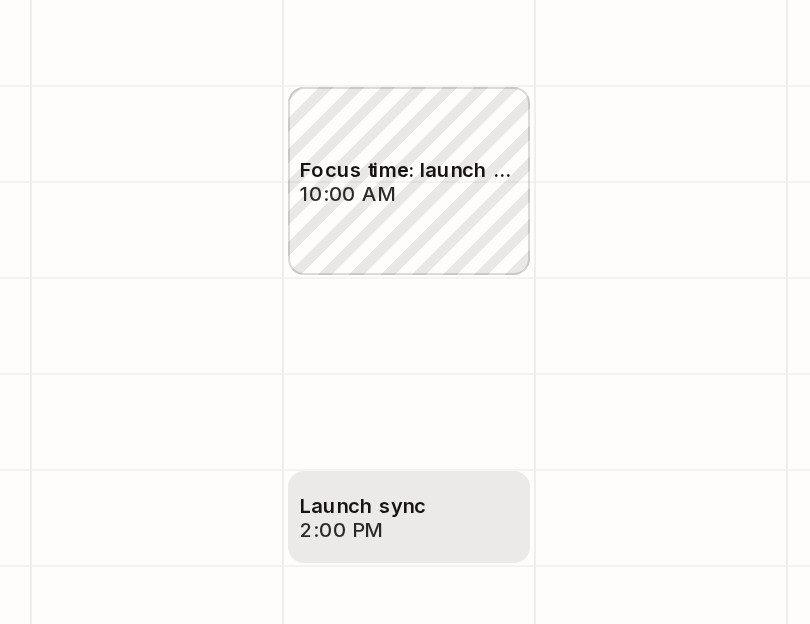
When you make an event, tick Focus time. While it runs, your notifications are paused on every device, as if you had paused them yourself. Your avatar shows the paused bell and the menu says Focus time until 12:00 PM.
The pause follows the event. Drag it to the afternoon and the pause moves with it; delete it and the pause ends. There’s nothing to remember to switch off. Focus blocks are drawn hatched, so a week full of meetings shows at a glance where the protected time is.
If someone really needs you, Notify anyway still gets through, once a day.
Links that show what they point to
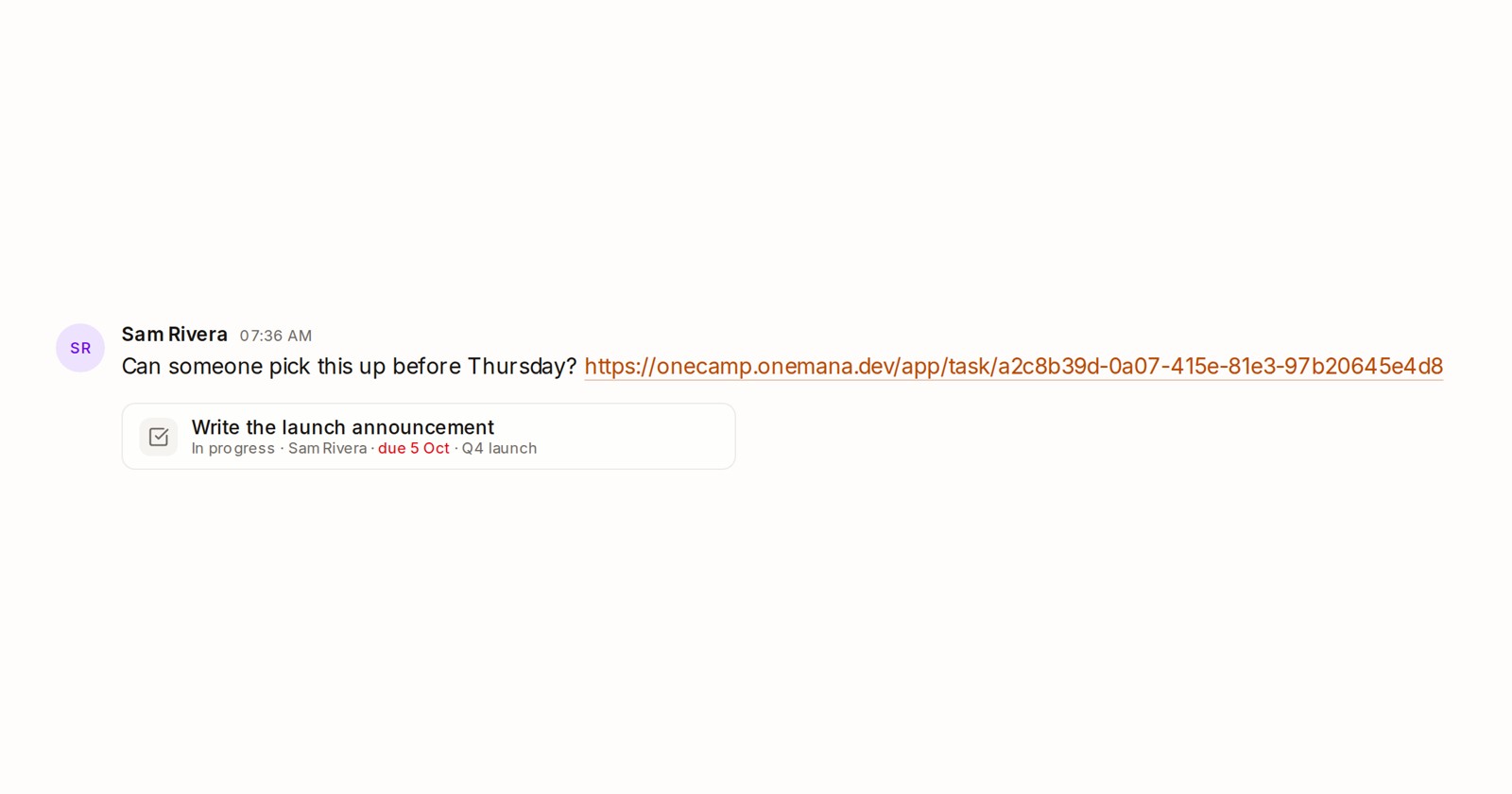
The picture at the top is a link to a task, pasted into a channel. Under the link, a card shows the task’s name, status, who has it, when it’s due (the date turns red when it’s late) and its project. Docs show their first lines and projects their team. Click the card to go straight there.
Each person sees the card as themselves. If someone in the channel can’t open that task, they see only the plain link, so a card never shows anyone something they couldn’t already see.
Smaller fixes
- A phone can add events. The calendar on a phone had no way to make one; there’s a New event button now.
- In My Tasks on a phone, a task’s due date stays on its row instead of dropping onto a line of its own.
- In Activity, the little badge no longer covers people’s initials.
- Some colours were never drawn, because they were written in a format the browser doesn’t accept. The most visible was the line that shows where a dragged block will land in a doc, which was invisible. It shows now, along with the editor’s colour swatches and collaborators’ cursor labels.
- The live demo now offers the install command right after you first post, make a task or ask the AI, without asking for your email.
Try it
- In the live demo, open the calendar, press New event and tick Focus time. Then copy a task’s address from My Tasks and paste it into a channel.
- On your own server: onemana.dev/free gives you the install command, no email needed.
- The guides: Pausing notifications and focus time and Link cards.
These arrived in both editions of OneCamp on 6 October.