
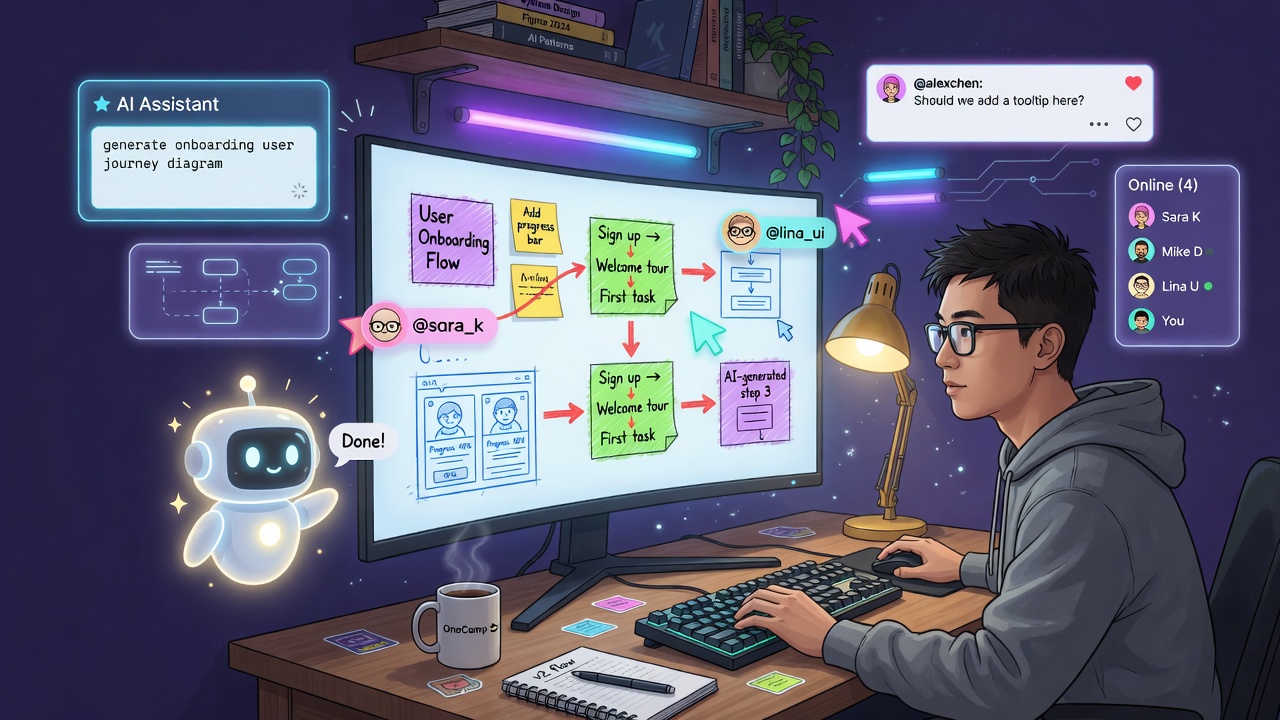
Every workspace eventually grows a blank canvas.
Docs are great for prose. Tasks are great for work that has a shape. But some thinking only happens on an infinite surface: a system diagram, a sprint retro with sticky notes, a user-flow sketched in real time while three people argue about it. That is the Miro / FigJam shaped hole, and until last month OneCamp did not have one.
This post is about filling it. Not with an iframe to someone else’s SaaS, but with a real multiplayer whiteboard that runs entirely on your own infrastructure, shares the collaboration plumbing the docs already use, and obeys the exact same permission model as everything else in the workspace.
The Constraint That Shaped Everything 🧭
OneCamp is open-source and self-hosted. That single fact rules out the easy path.
I could not reach for a commercial canvas SDK with per-seat pricing or a cloud sync backend. Whatever I picked had to be license-safe for commercial self-hosting, and the real-time layer had to be something I could run next to the rest of the stack without bolting on a second sync service.
So the two big decisions were made for me, in a good way:
- Canvas: Excalidraw (MIT). A beautiful, hand-drawn-feel canvas with a clean element model and an imperative API. Pinned to a known version. tldraw is lovely but its licensing is not friendly to this use case, so Excalidraw it was.
- Real-time: the Hocuspocus + Yjs server I already run for docs. No new transport. The board is just another kind of document on the same wire.
That second decision is the one that made the whole feature small enough to actually finish.
One Collaboration Server, Two Kinds of Document 🔌
OneCamp’s docs already sync through a Hocuspocus server backed by Yjs, a CRDT library that merges concurrent edits without a central lock. I did not want a second one for boards.
The trick is the document name. Docs connect with their bare UUID. Boards connect with a board: prefix, and the single server routes the two kinds to the right backend hooks:
const BOARD_PREFIX = 'board:'

const parseDocumentName = (documentName) => {
  if (documentName.startsWith(BOARD_PREFIX)) {
    return { kind: 'board', id: documentName.slice(BOARD_PREFIX.length) }
  }
  return { kind: 'doc', id: documentName }
}
From there, three hooks do all the work, and each one calls a small internal endpoint on the Go backend:
onAuthenticateverifies (with the user’s own token) that they may join this board, and sets a server-enforced read-only flag for viewers.onLoadDocumentseeds the Yjs document from the last persisted state.onStoreDocumentdebounces and persists the serialized document back to the backend.
Docs run their Tiptap transform in these hooks. Boards skip all of that: a board is a raw Yjs document holding Excalidraw elements, so it persists as a single base64-encoded Yjs update. No HTML, no transform, just the canvas state.
Binding Excalidraw To Yjs ✍️
Excalidraw keeps its scene as a flat array of elements, each with an id and a monotonically increasing version. Yjs gives me a shared map. The binding between them is the heart of the canvas component, and it is intentionally simple.
On a local edit, every changed element is written into a shared Y.Map keyed by element id, but only if its version is newer than what is already there:
yDoc.transact(() => {
  for (const el of elements) {
    const existing = yElements.get(el.id)
    if (!existing || (existing.version ?? 0) < (el.version ?? 0)) {
      yElements.set(el.id, el)
    }
  }
}, LOCAL_ORIGIN)
That version check is a last-write-wins merge at the element level. Two people dragging two different shapes never conflict. Two people nudging the same shape converge on the higher version. Yjs handles the hard part (merging the map itself across clients); the version gate keeps element updates idempotent and echo-free. The LOCAL_ORIGIN tag lets the observer ignore the writes this client just made, so there is no update loop.
The remote direction is the mirror image: when the shared map changes from somewhere else, the elements flow back into Excalidraw’s scene.
Live Cursors Without Polluting The Document 👀
The thing that makes a whiteboard feel alive is seeing other people’s cursors glide around. The thing that makes a whiteboard feel slow is broadcasting that badly.
Cursors ride on Yjs awareness, a separate ephemeral channel that is never persisted into the document. Each client publishes its identity once (name, color derived from the user id, avatar key) and then streams pointer positions. Remote states are rendered as Excalidraw “collaborators”.
Two details matter for production:
- Throttling. Excalidraw fires a pointer update on every mouse move. Unthrottled, that floods every collaborator dozens of times a second. Plain moves are throttled to roughly 20 a second; button transitions (a click starting or ending) are sent immediately so selection feels instant.
- Ephemerality. Awareness state evaporates when you disconnect. Cursors and selections are never written to the persisted board, which is exactly right: nobody wants yesterday’s ghost cursor saved into the file.
Where Boards Live: Mirroring The Doc Subsystem 🗂️
A board needs an owner, collaborators, a privacy flag, a soft-delete, a place in the sidebar, and a row in search. OneCamp’s docs already have all of that. So rather than invent a parallel universe, the board is a first-class node in the graph database (Dgraph) that deliberately mirrors the Doc subsystem:
- A
Boardnode withboard_uuid, title, the serialized state, a privacy flag, created-by, and edit / read / comment user lists with reverse edges. - The same access computation docs use: a query returns whether the calling user has edit, read, or comment access, computed against those lists.
- Soft-delete via a
board_deleted_attimestamp, so deletes are reversible and auditable. - A sidebar “Boards” section, an inline board creator, and a searchable “all boards” listing with thumbnails.
Because the board reuses the doc’s access shape, the authorization checks in the board controllers are the same checks the doc controllers make. The collaboration server’s onAuthenticate calls back into this exact model, so a viewer joins the live session but is forced read-only by the server, not just the client. The client cannot lie its way into editing.
This is the recurring theme of OneCamp: a new surface should inherit the existing rules, not reimplement them.
Images Without Bloating The Canvas 🖼️
Drop an image onto the board and the naive approach embeds the bytes (as a data URL) right into the document. That document is synced to every client and persisted on every change. A few screenshots and your “lightweight” canvas state is multiple megabytes that get shipped over the wire on every edit.
So images never enter the board state. When you paste or drop one:
- The client uploads the bytes to the backend, which runs an antivirus scan and stores the object in MinIO (the same pipeline every other attachment uses).
- Only the stored object’s id goes into the Yjs document.
- When a client needs to render the image, it resolves that id lazily through a backend endpoint that checks board access and 302-redirects to a short-lived presigned URL.
The shared document stays tiny. The bytes live in object storage where bytes belong. And because the image fetch is access-checked, a board’s images are exactly as private as the board.
The AI That Draws 🪄
A blank canvas is intimidating. The fastest way to make it useful is to let someone type “onboarding flow from signup to first value” and watch a real diagram appear.
OneCamp’s boards have an AI panel that turns a prompt into an editable diagram. The important word is editable: it does not paste an image, it generates real Excalidraw elements you can then move, recolor, and rewire.
The server side is deliberately strict. The model is constrained to emit a small JSON graph (nodes and edges, or for UI mockups, a device frame and components), and the backend then:
- validates and sanitizes every label, caps node and edge counts, and drops edges that point at nonexistent nodes,
- runs a dependency-free auto-layout (layered, sequential, columnar, radial, or stacked depending on the diagram type) to assign clean coordinates,
- returns a graph that is always valid, never half-parsed.
It supports flowcharts, roadmaps, user journeys, mind maps, org charts, and, my favorite, device UI mockups for mobile and desktop, where the model describes navbars, cards, buttons and inputs and the client renders them as a tidy wireframe inside a phone or browser frame.
The generated elements are appended to the live scene, which means they flow straight into the Yjs document, which means your collaborators watch the diagram materialize on their screens in real time. And the whole thing rides the same model-agnostic AI service as the rest of OneCamp, with the same rate limiter, circuit breaker, and per-user model selection. The workspace owner picks the model; the board does not care.
From single-shot to deep, multi-pass diagrams
The first version asked the model for the whole diagram in one shot. That is fine for “five boxes and some arrows”, but it falls apart on “the full architecture of our payment system”: a single pass produces something shallow and generic, because the model is spreading one budget of attention across structure and detail at once.
So generation became a pipeline you can opt into with a “Detailed” toggle. It first asks the model to plan: name the major regions and how many nodes each deserves. Then it expands each region in its own focused call, where the model has room to add the specific services, states, and decision branches that make a diagram actually useful. The passes are stitched into one graph, re-validated (labels sanitized, dangling edges dropped, counts capped), and laid out by the same dependency-free auto-layout. The result has real depth without ever handing the model a blank cheque on size.
Because the deep path takes several model calls, progress streams back over Server-Sent Events: “planning… expanding ‘checkout’… laying out…”, so a 20-second generation feels like watching something get built rather than staring at a spinner.
Editing by conversation
A diagram is never right the first time. Instead of regenerating from scratch and losing your manual tweaks, there is a natural-language refine endpoint: select the diagram, type “add a retry path from the payment service back to the queue, and color the failure states red”, and the model receives the current graph as structured input and returns a diff applied to it. Your edits survive; the change is surgical.
One small fix that mattered more than it sounds: UI-mockup text used to overflow its component box. The renderer now wraps label text to the box width and reserves matching height up front, so a generated wireframe stays tidy instead of spilling over its own buttons.
Comments, Mentions, And The Activity Feed 💬
A board is a conversation as much as a drawing. Comments are pinned to a scene coordinate and live in the same Yjs document, so they sync in real time, persist with the board, and stay anchored as you pan and zoom. Threads, resolve, delete, and emoji reactions all come along.
But a comment that only lives on the canvas is a comment nobody sees until they open the board. So when a board comment @mentions someone, the board does a second, deliberate thing: it mirrors that mention into the workspace’s activity subsystem. A real comment + mention is persisted in the graph and linked to the board, the mentioned people get a notification, and the mention shows up in their activity feed with a one-click jump straight to the board.
The canvas thread is the live display; the activity mirror is how mentions actually reach people. The two are kept in sync without forcing the whole comment system onto the canvas.
The Feature I Hope You Never Need: Mass-Delete Recovery 🛟
Here is the nightmare on any shared canvas. Someone hits select-all, presses delete, and the collaboration server dutifully persists the now-empty board over the good one. Everyone’s work, gone, and the “save” worked perfectly.
So boards keep a version history, designed so storage never grows without bound:
- The snapshot index lives in Postgres (timestamp, element count, reason). The snapshot blob (a gzipped copy of the Yjs state) lives in MinIO. This hybrid keeps the hot database lean while scaling to large boards cheaply.
- Snapshots are captured on the persist path, no per-board timers: periodically while a board is being edited, and, crucially, the prior state is captured whenever the incoming state shrinks sharply. A select-all-delete is exactly that sharp shrink, so the version right before the wipe is preserved.
- Retention is bounded two ways: keep the most recent N per board (pruned on every write) and a daily sweep that drops snapshots past an age window. Storage is predictable: boards times snapshots-per-board times size.
Restoring is owner / editor only, and it first snapshots the current state so the restore is itself reversible. There is an honest caveat I built around rather than hid: because the live document stays in memory while people are connected, a restore takes effect when the board is next opened fresh, and the UI says so plainly.
To round out the safety story there are sensible limits with graceful messaging (a soft warning as a board gets very large, a hard cap that makes AI generation refuse rather than degrade the canvas, prompt-length and image-size caps), and object snapping with alignment guides so diagrams come out tidy.
What I Did Not Do, On Purpose ✋
I skipped a few things deliberately, because shipping the right small thing beats shipping a shaky big one:
- No second sync service. Boards ride the doc collaboration server. One thing to run, one thing to secure.
- No bytes in the document. Images go to object storage, period.
- No bespoke permission model. Boards inherit the doc access shape and the same server-enforced read-only.
- No unbounded history. Every recovery path has a retention policy from day one.
Why This Belongs In A Self-Hosted Workspace 🏠
A whiteboard is where teams put their least-finished, most-honest thinking: the architecture nobody has approved yet, the org chart mid-reshuffle, the launch plan with the awkward bits. That is precisely the content you least want sitting on a third party’s servers.
OneCamp’s boards run on infrastructure you own, sync through a server you control, store images and snapshots in your own bucket, and generate diagrams with a model you chose. They are multiplayer and modern and a little magical, and none of that requires handing your messiest thinking to someone else.
That is the whole pitch, really. Not “a whiteboard in your app”, but “a whiteboard you actually own”.
OneCamp is an open-source, self-hosted, AI-era workspace: chat, docs, tasks, projects, calls, an AI coworker, and now a real-time collaborative whiteboard, all on your own infrastructure.