
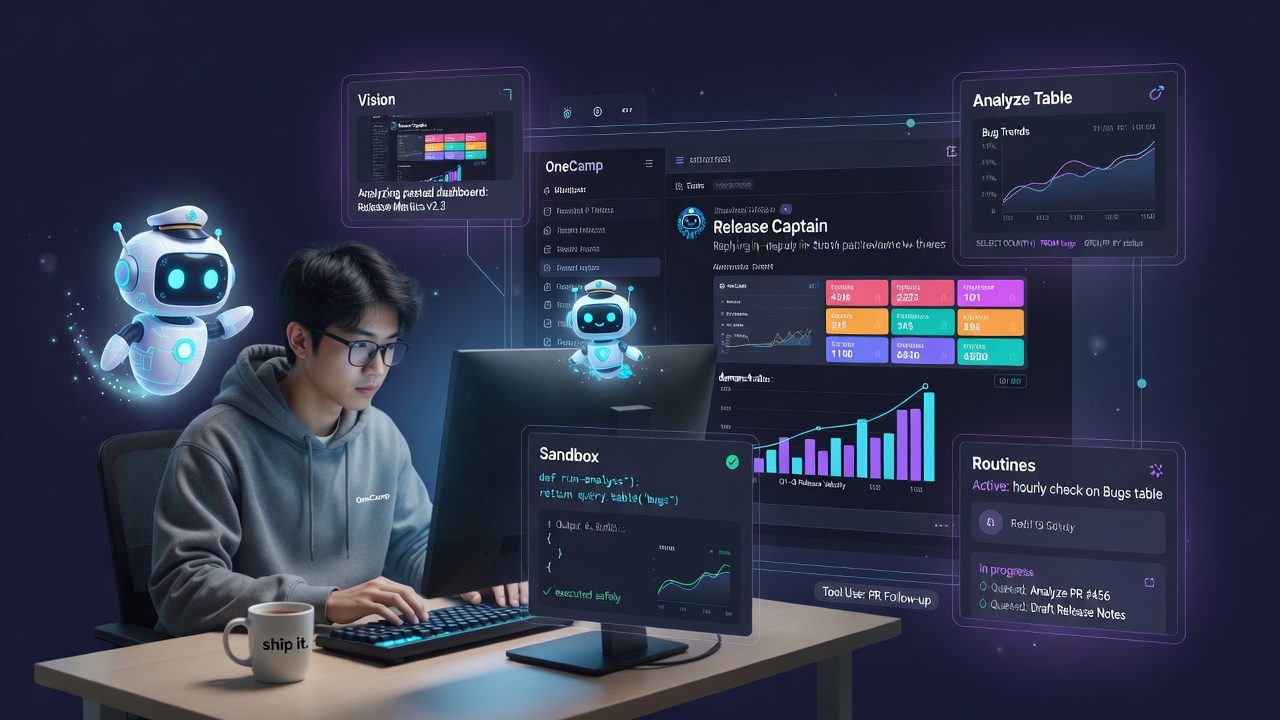
Last week’s post was about giving OneCamp’s agents a place in the room, an agent becomes a real, @mentionable member of a channel or DM, you can hand it a task on a durable engine, and there’s governance (approvals, spend caps, an audit chain, an eval harness) that makes trusting it a responsible choice instead of a leap.
That answered where the agent lives. This week answered a different question: what can it actually sense and do?
A coworker who can only read text and take instructions is useful. A coworker who can look at the screenshot you pasted, do the arithmetic on your data and hand you a chart, run a quick script to check something, follow your PR through CI, and remember the house rule you told it last Tuesday, that’s a different kind of help. So the last week of OneCamp was about turning the teammate from articulate into capable.
First, a Teammate That Uses Tools Properly 🛠️
Everything below rests on one unglamorous change: agents now do native function calling, the structured tool-calling protocol modern models are actually trained for, with an automatic text-protocol fallback for models that don’t support it. Before, the agent coaxed tools out of the model by parsing text; now it asks the model the way the model expects to be asked, and only falls back when it has to.
That one shift made the rest of the week possible, because reliable tool use is the floor everything stands on. Around it I hardened the parts that break on self-hosted, modest hardware:
- Query-aware tool exposure. Instead of dumping every tool into every prompt, the agent shows the model only the tools a given question could plausibly need, so it stays under a provider’s tokens-per-minute ceiling instead of blowing the budget on a menu.
- Bounded observations. Tool results fed back into the loop are capped, so a chatty tool can’t balloon the context and stall the run.
- A local fallback on rate limits. If the primary model returns a 429, the agent finishes on the workspace’s local model rather than failing the whole run, the kind of resilience that only matters, but really matters, when you host your own.
- Honest disclosure. The agent reports the tools it actually used and flags the ones that failed, rather than narrating a tidy plan it didn’t carry out.
None of that is a headline feature. All of it is the difference between an agent that demos and an agent you leave running.
Senses: It Can See, and It Knows What Day It Is 👁️
Two grounding gaps quietly made agents dumber than they needed to be. Both are closed.
Vision. Paste a screenshot of a broken dashboard, a design mock, an error trace, and @mention an agent, and it now sees the image as part of the conversation, in channels, DMs, and group chats alike. “What’s wrong with this chart?” stops being a question you have to transcribe into words first.
Time. The agent’s system prompt now carries the current date and time, so “what’s overdue?”, “schedule this for next Friday”, and “summarize this week” resolve against reality instead of the model’s frozen sense of “now”. A teammate that doesn’t know what day it is can’t be trusted with a deadline.
Answers Straight From Your Data, With Charts It Draws Itself 📊
This is my favorite part of the week. A workspace is full of structured data, OneCamp’s Notion-style Tables, and until now an agent could read rows but couldn’t really reason over them. Now it can:
query_table(Analyze a table): the agent runs a safe, bounded aggregation over a table, count, sum, group-by, and answers the actual question (“how many bugs per assignee this week?”) from the data instead of guessing from a few rows it happened to see.- Charts it renders inline. When the answer is a shape, the agent emits a chart and it renders right in the message, in a channel, a DM, or a group chat, via a proper editor node, not a link to somewhere else. A date group-by comes back as a chronological trend line; categories come back as bars. You ask in plain language and a chart shows up in the thread.
- A Notion-style Chart view on Tables themselves. Independent of the agent, any table now has a Chart view you configure and it remembers per table, staying live as rows change.
- An aggregate endpoint on the member API, the versioned public API, and the TypeScript SDK, so the same “answer from the data” power is available to your own code, not just the assistant.
The whole thing is careful where it counts: the aggregation engine caps how many filters a single query can carry, and there’s a locked test pinning exactly what the model is allowed to see, because “let the AI touch the data” is only safe if the data path is boring and bounded.
Real Code Execution, in a Box You Control 🧪
Some questions can’t be answered by aggregation, they need a few lines of actual code. So OneCamp now has a code-execution sandbox: an agent can run a snippet of Python (via a run_analysis tool) to compute something or produce a chart from the result.
The interesting engineering is entirely in the containment, because running model-written code is exactly as dangerous as it sounds:
- It executes in an isolated code-runner sidecar, not in the app process, over a narrow HTTP contract with a mock-tested runner interface.
- The process is boxed with OS resource limits (CPU, memory, time) and a hardened bootstrap, and there’s an adversarial test suite that tries to break out so the guarantees don’t rot.
- Every run is metered against per-agent and per-channel budget tiers with a pure, typed budget-decision gate and typed stop-reasons, and each run is attributed so spend is traceable.
- It ships gated OFF by default. An admin turns it on deliberately from a dedicated Code analysis sandbox card, and the agent builder only exposes
run_analysiswhen the sandbox is enabled. Operators get today’s-usage visibility and a written playbook.
Because it’s self-hosted, “the AI ran some code” doesn’t mean your data took a trip to someone else’s servers. The powerful capability and the contained one are the same capability.
Security note: code execution is powerful and off by default for a reason. It requires deploying the runner sidecar and an explicit admin opt-in, and it stays bounded by resource limits and per-agent/per-channel budgets. Turn it on when you’ve read the operator doc, not before.
Work That Doesn’t Live and Die With One Request ⚙️
Last week’s durable engine drove assigned tasks. This week that same durability reached ordinary @mentions: a mention that turns into real work can hand off to a background run (opt-in), survive a restart, and resume the moment you reply in the thread, in channels, DMs, and group chats. Agents reply in-thread as comments on the triggering message now, so a conversation with an agent reads like a conversation, not a wall of top-level posts.
To make that legible, there’s a live “In progress” work feed, queued, working, blocked, so you can see what your agents are doing right now and what’s waiting on a human. And to make it trustworthy, a run that makes a claim (“done, tests pass”) goes through a deterministic claim-verification gate and an optional self-critique pass before it declares victory, and it proactively pings whoever triggered it on every terminal outcome, success, block, or failure, instead of going quiet.
It Follows Your Pull Requests, and Reads Code to Ground Itself 🔀
The engineering-agent story got real depth:
- PR-follow via GitHub events. Agents subscribe to pull-request and CI activity on the workspace event bus (reusing the same event-trigger machinery that already powers “when a table row lands”), and report one clean “CI finished” per PR instead of a spammy event per check.
- Read-only code grounding. New repo file-read and code-search tools, plus a deterministic
list_commits, let a coding agent actually look at your code and recent history to ground its answer, all strictly read-only. Anything that writes code still stays behind a confirmation and an admin-registered MCP server. The agent reasons about your repo freely; the act of writing stays your explicit choice.
Tell It a House Rule and It Remembers 🧠
Agents picked up conversational remember/forget: tell an agent “always post release notes in #announcements” or “stop pinging me on weekends” in plain language, and it keeps that as a standing instruction for the channel or DM, no settings screen. And forget genuinely forgets, it purges the semantic and graph projections, not just the Postgres row, so a retracted instruction doesn’t linger in retrieval.
Agents That Watch Your Work on a Routine 🔁
Scheduled check-ins were already a thing. Routines make the monitoring case first-class and conversational: you just tell an agent what to keep an eye on and how often, and it sets up a routine, create_routine / list_routines / cancel_routine are things you say, not forms you fill. Cadences run from daily and weekly all the way down to hourly intervals for genuine monitoring, on the same durable, claim-based scheduler, with management endpoints and a Notion-style routines panel in the agent dialog to pause or cancel them.
And a Few Things That Round It Out ✨
- Opt-in ambient replies. An agent can be allowed to chime in on a scoped set of keywords without an explicit @mention, off by default, opt-in, budget-metered, and self-silencing when it has nothing useful to add. A specialist that speaks up when its topic comes up, not a bot that interrupts.
- A curated MCP connector catalog. Instead of hand-typing server configs, admins pick from a vetted catalog of Model-Context-Protocol connectors and install with the fields pre-filled, keeping OneCamp vendor-neutral while making setup a click.
- Per-channel default model. Each channel can pin the AI model it uses, a cheap local model in the noisy channel, a stronger one where the analysis happens, validated against the admin’s allowlist.
- Create tasks from a meeting. The meeting-recap post already lists action items and files them into structured memory; now the recording block carries a “Create tasks” button that pulls that exact call’s transcript and turns its action items into real, assigned tasks in a project you pick, closing the last gap in the meeting-to-tasks loop.
Why Self-Hosted Keeps Winning Here 🏠
Every capability this week is one people usually only get by shipping their data to a vendor: an AI that reads your tables, an AI that runs code, an AI that sees your screenshots, an AI that reads your private repo. In OneCamp all of it, the model, the sandbox, the data it aggregates, the images it sees, the code it runs, executes on infrastructure you own, checked against the same permissions the requesting user has, and bounded by the same budgets you set. The most capable version of the teammate is also the most contained one. That’s the trade I keep optimizing for: maximum capability, zero “wait, where did that just go?”
How To Use It 🚀
Give an agent data skills. In Settings → Agents, open an agent and add Analyze a table (query_table) to its tools. Ask it a question about a table in a channel/DM (“bugs per assignee this week”) and it answers from the data, with a chart inline when the answer has a shape. For tables directly, add a Chart view from the table’s view switcher.
Turn on code analysis (optional, admin). Deploy the runner sidecar, then enable it from Admin → AI Models → Code analysis sandbox. Once on, add run_analysis to an agent’s tools. Watch per-agent/channel usage from the reliability panel; read the operator doc first.
Let it see and stay grounded. Just paste an image into a channel/DM/thread and @mention the agent, it sees it. Temporal grounding is automatic.
Run work in the background. In the builder, flip “Run tasks in the background” so long mentions hand off to the durable engine; watch the live “In progress” panel, and reply in-thread to unblock a paused run.
Follow your PRs. Add a GitHub event trigger to an agent and give it the read-only code tools; it’ll follow PRs and report a clean “CI finished” per PR.
Set standing rules and routines. Just tell the agent in chat, “always summarize standups in #eng”, “check the Bugs table every hour and flag P0s.” Manage routines from the routines panel in the agent dialog.
Round it out. Enable ambient replies (with keywords) in the builder for a specialist that speaks up on its topic; install connectors from the MCP catalog; set a channel’s default model in its AI settings; and on a meeting recap, hit Create tasks to file the call’s action items.
OneCamp is an open-source, self-hosted, AI-era workspace: chat, docs, tasks, projects, calls, boards, tables, a programmable API, and AI teammates that can now see, calculate, run code, and watch your work, all on your own infrastructure.