
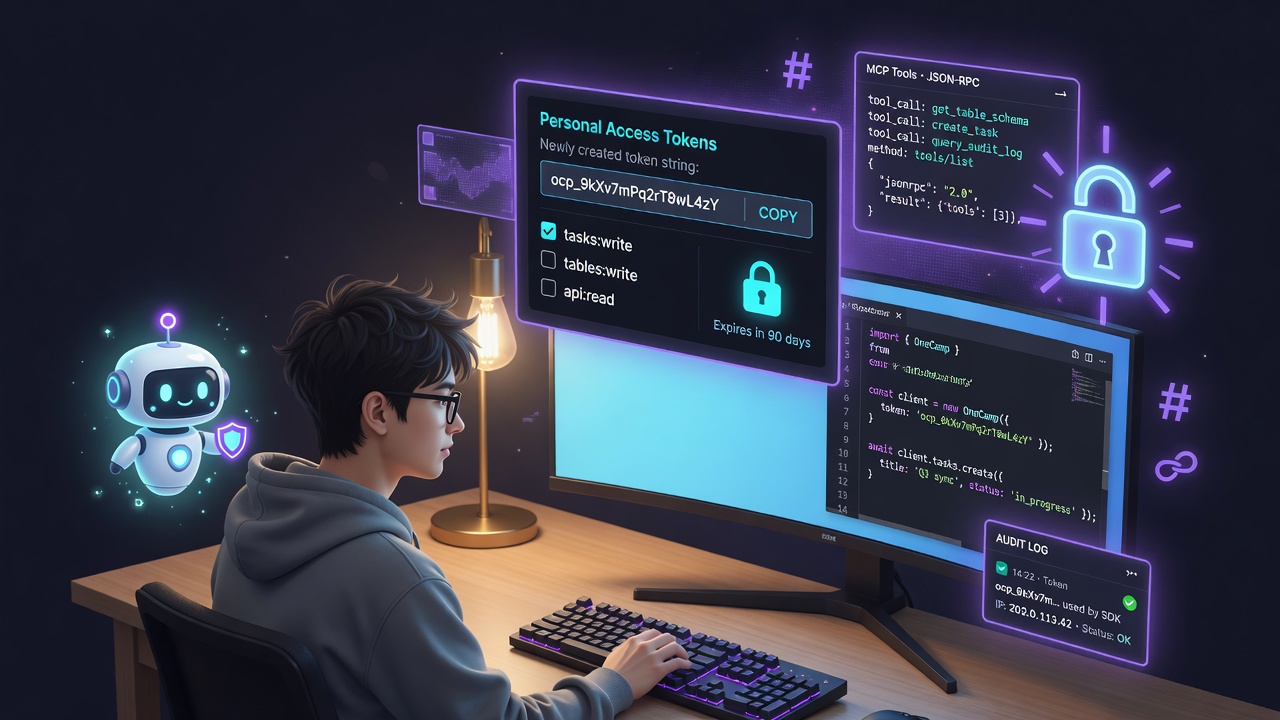
A workspace becomes a platform the moment something other than the UI can drive it.
Up to now everything in OneCamp went through the web app and the session cookie. That is fine for people, useless for programs: a CI job that should post a release note, a scraper that should append a row to a table, an external AI assistant that should be able to create a task. This post is about the surface that lets all of that happen, built so it can never become a back door.
There are five pieces, and they share one principle: a token, an API call, or an AI client can never do something its human owner could not do by hand.
1. Tokens You Can Actually Hand Out 🔑
The session cookie is the wrong credential for a script. It is broad, it expires on your schedule not the script’s, and you cannot scope it. So OneCamp grew personal access tokens: scoped bearer credentials a member mints for themselves.
Three things make them safe to hand to a program:
- Stored hashed, shown once. The plaintext (
oc_…) is returned exactly once at creation and never again; the database holds only a SHA-256 hash. A database leak yields no usable tokens. Auth looks the token up by hash through a unique index, so verification is one indexed read on the hot path. - Scoped. A token carries a set of scopes like
tasks:read,tasks:write,tables:write,messages:write. Each route asserts the scope it needs; a token only reaches the operations it was granted, nothing more. - Bounded and revocable. Tokens can carry an expiry, there is a per-user cap on how many can be active, and revoking is immediate.
Authorization: Bearer oc_a1b2c3...
Every authenticated call also touches a best-effort “last used” timestamp so a user can see and prune stale tokens.
2. A /v1 That Reuses The App, Not A Parallel One 🛡️
The dangerous way to build a public API is to write fresh handlers that talk straight to the database. They drift from the app’s real rules, and the gaps become privilege-escalation bugs.
OneCamp’s /v1 does the opposite: every endpoint calls the same business layer the web app calls, as the token’s owner. Creating a task through the API runs the identical permission-checked path as creating one in the UI. The API surface is thin on purpose; all the authority lives in one place.
The request pipeline for /v1 is a short stack of middleware:
- Verify the bearer token (hash lookup), reconstruct the owner’s identity, and attach their granted scopes to the request context. Failures answer
401uniformly, with no token-existence oracle. - Per-token rate limit. A fixed-window counter keyed by token id (not user), so one runaway script throttles itself without affecting the owner’s interactive session. It fails open if the rate-limit store is down, because a metering outage should never take the API offline.
- Require scope per route.
- Cap the body. A 1 MiB limit wraps the raw-decoded JSON bodies so a hostile payload can’t balloon memory.
Every write through the API is audited: an entry records the token id, the operation, and the target. Reads are not audited (high volume, no state change). When something is created through a token at 3 a.m., there is a trail.
3. OneCamp As An MCP Server 🔌
MCP (the Model Context Protocol) is becoming the USB-C of AI tools: a standard way for any AI client to discover and call a system’s capabilities. OneCamp speaks it, as a server, at a single endpoint:
POST /v1/mcp (JSON-RPC 2.0: initialize, tools/list, tools/call)
It is authenticated by the same scoped bearer token, and here is the elegant part: the tools an MCP client sees are exactly the workspace’s existing AI tools, and tools/call runs them through the same executors the in-app assistant uses, as the token owner, scope-checked per call. So pointing Claude Desktop (or any MCP client) at your OneCamp gives it precisely the abilities the token’s scopes allow, no more. The protocol is new; the authority model is the one we already trusted.
4. An MCP Client So Your Agents Can Use Other Tools 🧩
The mirror image: OneCamp’s own AI agents can call out to external MCP servers. An admin registers a server (URL + optional auth), OneCamp introspects it (initialize → tools/list), and its tools are namespaced (mcp_github_…) and folded into the shared tool registry that agents draw from. Now an agent you built in OneCamp can use a GitHub MCP server’s tools alongside the native ones.
Calling arbitrary admin-supplied URLs server-side is a classic SSRF surface, so the outbound client is guarded: it dials through a resolver that blocks link-local addresses (which include the 169.254.169.254 cloud-metadata endpoint) at dial time, so DNS rebinding can’t sneak past it, and it refuses redirects to those targets, while still allowing private/internal addresses so a self-hosted MCP server in your own cluster stays reachable. Responses are size-capped and time-bounded. The registry rebuilds in the background with panic recovery, so a flaky server can never take the process down.
5. A TypeScript SDK So Nobody Hand-Rolls Fetch 📦
A raw API is friction. The official SDK (sdk/typescript/) is a thin, typed client over /v1: construct it with your base URL and token, get typed methods for tasks, tables, projects, and messages, with the auth header and error handling done for you.
import { OneCamp } from "@onecamp/sdk"

const oc = new OneCamp({ baseUrl: "https://work.acme.com", token: process.env.ONECAMP_TOKEN })

await oc.tasks.create({ project_id, title: "Ship the SDK", priority: "high" })
await oc.tables.createRow(tableId, { values: { /* keyed by field */ } })
It is intentionally small. The interesting logic is server-side; the SDK just makes the common calls pleasant and type-safe.
Templates: Share What You Built ♻️
The last piece is social in a quiet, internal way. When someone builds a genuinely useful agent, automation, or table, others should be able to reuse it. Templates let you publish one as a portable, workspace-agnostic payload (the create-input, with workspace-specific ids stripped) and let any teammate install their own copy in one click.
Install replays the payload through the same Create functions, as the installing user, re-checking capabilities, so an installed agent or workflow can never exceed what the installer could build themselves. (This started life as an over-engineered “marketplace” with star ratings and install counters; for a single-workspace tool that was noise, so it was deliberately trimmed back to a focused Templates gallery. Shipping the right small thing.)
The One Idea Underneath All Five 🧭
Every surface here, the token, the /v1 route, the MCP server, an installed template, resolves to the same permission-checked business layer, acting as a real user. There is no privileged API path, no shadow set of handlers, no way for a program to do something a person could not. That is what makes it safe to open a self-hosted workspace up to automation: you are not widening the attack surface, you are giving the rules you already trust a new front door.
A workspace you can click is a product. A workspace you can also program, on infrastructure you own, is a platform.
How To Use It 🚀
Mint a token. Go to Settings → API tokens → New token. Give it a name, tick only the scopes it needs (e.g. tasks:write, tables:write), optionally set an expiry, and create it. Copy the oc_… secret now, it is shown once. Store it in your secret manager or CI secrets, never in code.
Call the API with curl. Send the token as a bearer header:
# Who am I (verifies the token)
curl https://work.acme.com/v1/me \
  -H "Authorization: Bearer $ONECAMP_TOKEN"

# Create a task
curl -X POST https://work.acme.com/v1/tasks \
  -H "Authorization: Bearer $ONECAMP_TOKEN" \
  -H "Content-Type: application/json" \
  -d '{"project_id":"<uuid>","title":"Release v2","priority":"high"}'

# Append a row to a table (values keyed by field id)
curl -X POST https://work.acme.com/v1/tables/<table_id>/rows \
  -H "Authorization: Bearer $ONECAMP_TOKEN" \
  -H "Content-Type: application/json" \
  -d '{"values":{"<field_id>":"Shipping today"}}'
If you call something outside the token’s scopes you get a clean 403; exceed the per-token rate limit and you get a 429. Every write you make shows up in the workspace audit log.
Or use the SDK. Install it, construct a client, call typed methods:
import { OneCamp } from "@onecamp/sdk"

const oc = new OneCamp({
  baseUrl: "https://work.acme.com",
  token: process.env.ONECAMP_TOKEN!,
})

await oc.tasks.create({ project_id, title: "Release v2", priority: "high" })
Connect an AI client to your workspace (OneCamp as an MCP server). Point any MCP client that supports an HTTP endpoint at https://work.acme.com/v1/mcp, authenticating with the same bearer token. The client runs tools/list and sees exactly the tools your token’s scopes allow, then can call them on your behalf. A typical MCP client entry looks like:
{
  "mcpServers": {
    "onecamp": {
      "url": "https://work.acme.com/v1/mcp",
      "headers": { "Authorization": "Bearer oc_..." }
    }
  }
}
Give your agents external tools (OneCamp as an MCP client). As an admin, open Admin → AI Models → MCP servers → Add server, paste the external server’s URL and any auth header, and hit Test. OneCamp introspects it and lists its tools; enable it, and those tools (namespaced like mcp_github_…) become selectable when you build an agent.
Share what you built. On any agent or workflow row in the admin panel, click Save as template. Teammates open Templates, find it, and click Install to get their own copy (it starts inactive so they can review it first).
OneCamp is an open-source, self-hosted, AI-era workspace: chat, docs, tasks, projects, calls, boards, tables, an AI coworker, and now a programmable API, MCP support, and an SDK, all on your own infrastructure.